How to Preserve Emails in Gmail Securely


When a user needs an important email or an attachment that is in their Gmail inbox, like a tax receipt or a contract, but they are unable to find it. This is when they realize they need to keep their important emails in some safe location, and then their hunt for how to preserve emails in Gmail starts because they suddenly realize something important is missing.
In this write-up, we will learn simple ways to preserve Gmail emails and approaches professionals adopt to keep their emails secure.
Why People Need to Preserve Emails in Gmail
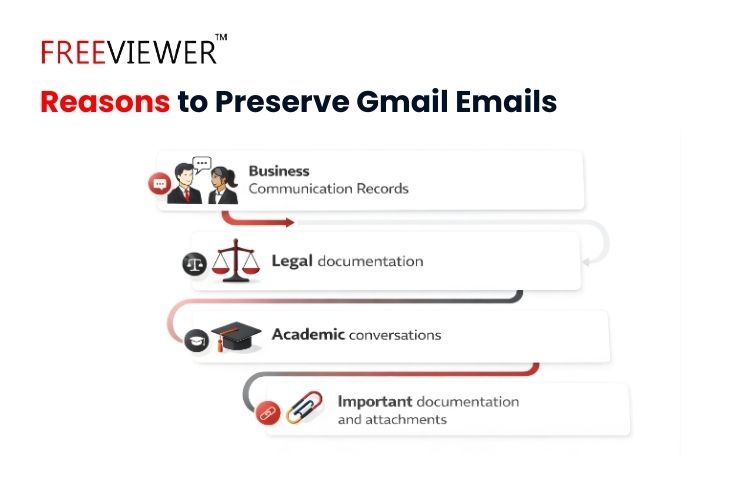
Gmail can be thought of as a digital filing cabinet, which works extremely well for organizing papers. If that cabinet is full, as we keep stuffing it with something or the other every single day in the form of promotional emails. Finding a single important document becomes difficult. Many times, people accidentally delete an important email that can be needed later.
As this happens, many people preserve emails for reasons such as.
- Business communication records.
- Legal documentation.
- Academic conversations.
- Important documentation and attachments.
Preserving emails means keeping a secure copy in a protected way that can be accessed anytime when needed. Even if something happens to your Gmail account.
What Actually Happens When Gmail Emails Are Not Preserved
To understand how to preserve emails in Gmail and the importance of preservation. We can think of driving our car without saving the navigation map. If the internet goes down or we don’t have access to maps, we will lose our direction and remain lost on the road. The same situation happens with Gmail emails.
The common risks when emails are not preserved:
- Accidental deletion of important emails.
- Storage limits are in red, which forces you to delete emails.
- Loss of attachments when emails are forwarded or saved partially.
Gmail keeps messages on Google servers. Users cannot fully control long-term storage or organisation if they remain dependent on Gmail alone. Preserving emails ensures a copy of your important Gmail data exists outside Gmail.
Manual Ways to Preserve Gmail Emails
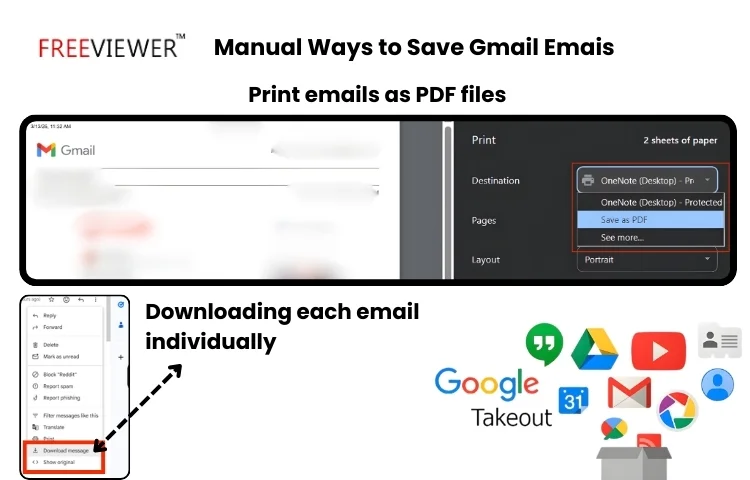
Many users try multiple methods to save their emails. The common manual approaches are:
- Downloading each email individually, and if they contain attachments, downloading those attachments separately.
- Opting for an option to print emails as PDF files.
- Export of Gmail data using Google Takeout.
These methods work well but only for small tasks. For instance, a teacher may download a few important emails related to student communication. These approaches become extremely difficult when you have a large volume of data. That can be of a school, business or personal. For large data these approaches on how to preserve emails in Gmail is not preferred.
Related read – Top strategies to free up storage space in Gmail account
How to Preserve Emails in Gmail Safely and Keep Them Forever
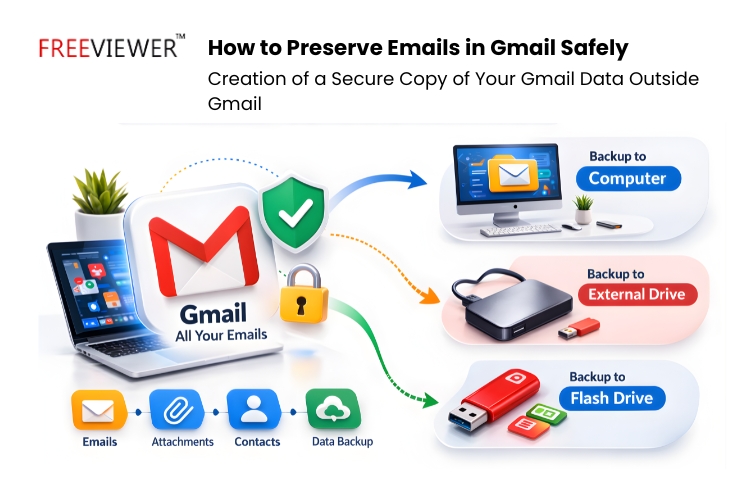
The most efficient way to handle email preservation is to create a dedicated backup copy. Instead of keeping your data that can be needed anytime only in Gmail. One can create a secure copy of it at some separate storage location, such as a computer, flash drive or hard drive. The approach ensures that:
- Users can access preserved emails anytime.
- When backed up correctly, the email structure remains intact.
- Attachments stay linked to the messages.
- Emails remain available forever.
Professionals and companies prefer this method for the storage of their important Gmail data for a longer horizon.
A Smarter Way to Preserve Gmail Emails for Long-Term Safety
To simplify the preservation process, many professionals rely on professional tools like Freeviewer Gmail Backup Tool. Which create backup of your Gmail data as it is, securely and in an errorless way and in your desired format and at your desired location.
With the help of this approach complexity of manually saving emails is removed. Let us check how this tool operates, and the steps are.
- Download and install the tool.
- Select Gmail as the source of backup and the workstation as the emails.
- Select your desired format like PDF, MBOX etc)
- Decide the date range.
- Sign in to your Gmail account and select your backup location path.
- Start the backup process.
This approach becomes extremely helpful in preserving emails without spending hours managing files.
Why Manual Email Preservation Often Fails
Manual methods seem extremely simple at first, but often creates lot of problems.
- Misalignment of Emails with attachments and folder structure – When we use Google Takeout and other approaches, this misalignment happens, and messages don’t remain connected with attachments. With the usage of a professional tool entire conversation and its elements remain intact.
- Time-consuming downloading of each email – The manual approach is extremely time-consuming, especially when you have large Gmail data. Google Takeout can take up to several days to export. If you select email one by one and download. It is human oriented method and some emails can even be skipped.
- Loss of Gmail folder or label structure – When we opt for manual methods, the folder and label structure can get destroyed and if your emails are important, it cannot be left to chance.
Due to this reason, the process of how to preserve emails in Gmail should be answered by a professional tool-based approach.
Related read – How to improve Gmail data protection to enhance security
Closing Thoughts
From the above information, we hope you are clear on how to preserve emails in Gmail. Preserving Gmail emails is not only about saving messages. It is about the protection of information that may become important in future. If one creates a secure copy outside Gmail in some safe location, he/she can ensure their emails remain safe, organized and accessible wherever they are required.
Frequently Asked Questions
Q. Can Gmail automatically preserve emails forever?
A – Gmail is a perfect communication tool and stores email in your inbox. Everyday inbox size increases it becomes important to preserve your important emails. Gmail does not preserve your emails automatically, you have to secure them to have organized Gmail experience.
Q. What is the safest way to preserve emails in Gmail?
A – The safest way is the creation of a backup of your Gmail data at some dedicated location like a flash drive. The backup should be errorless and accurate.
Q. Does preserving Gmail emails also save attachments?
A – If you preserve emails manually by saving them one by one, you have to download emails individually and then download the attachments individually. But if you opt for a professional tool-based method, then all your emails and attachments will be downloaded in a proper manner.