How to Migrate Windows Live Mail to Gmail? (Manual & Automated Guide)


In this guide, you will get two reliable techniques to easily migrate Windows Live Mail to Gmail. These include manual and Windows Live Mail to Google Workspace Importer.
Windows Live Mail has been officially discontinued in 2017 and still using it can lead to data loss, compatibility issues and high risk of privacy exposure.
As a result many users want to migrate into more secure and cloud-based platforms like Google Workspace or Gmail without losing their data including attachments, folder structure and email properties.
Table of Content
- Ticket #1037
- Before you begin: Locate your WLM files
- How to Import Windows Live Mail to Gmail Manually?
- Challenges of Manual Method
- How to Transfer Windows Live Mail to Gmail (Google Workspace)?
- Simple Steps to Migrate Windows Live Mail to Gmail<
- Key features of WLM to Google Workspace Importer
- People Also Ask
- Final Thoughts
Ticket #1037
I want to migrate my business email communication from Windows Live Mail to my new Google Workspace account. But I can’t afford to lose any data including attachments. Please suggest to me the safest and best way to migrate it easily?
Before you begin: Locate your WLM files
Before starting the migration, you need to get familiar with the Windows Live data as it stores emails in EML format.
The default location is: C:\Users\[Username]\AppData\Local\Microsoft\Windows Live Mail
How to Import Windows Live Mail to Gmail Manually?
If you have Thunderbird installed, you can configure it and follow the steps below:
- Open Thunderbird and click on the menu tab.
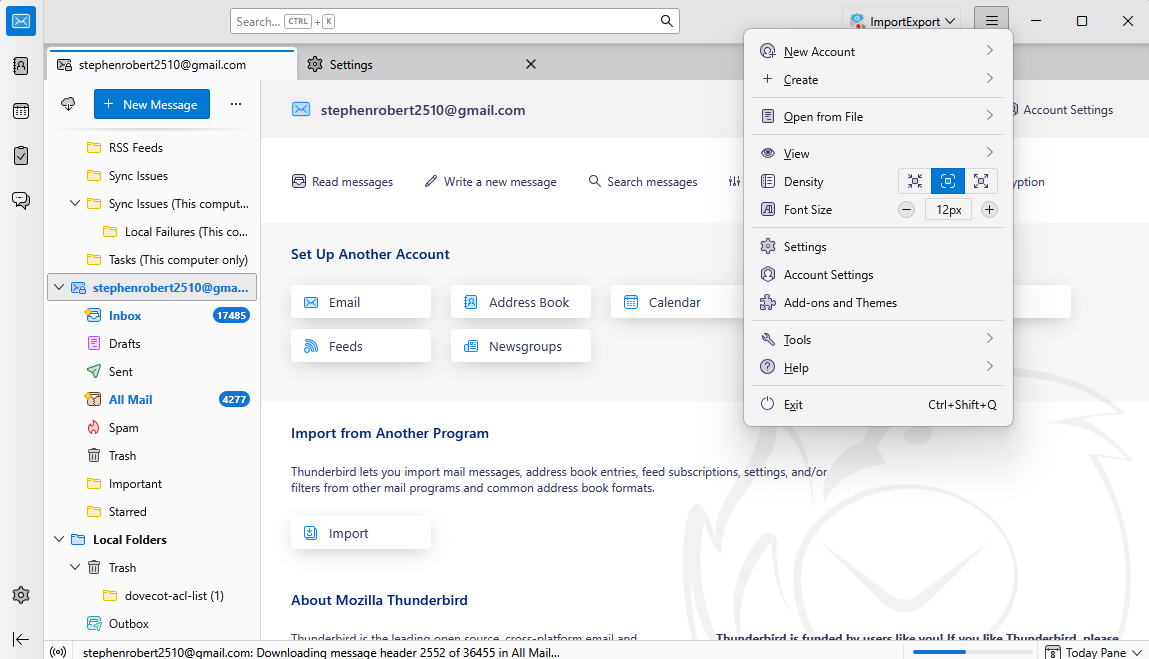
- Click on New Account and choose Email.
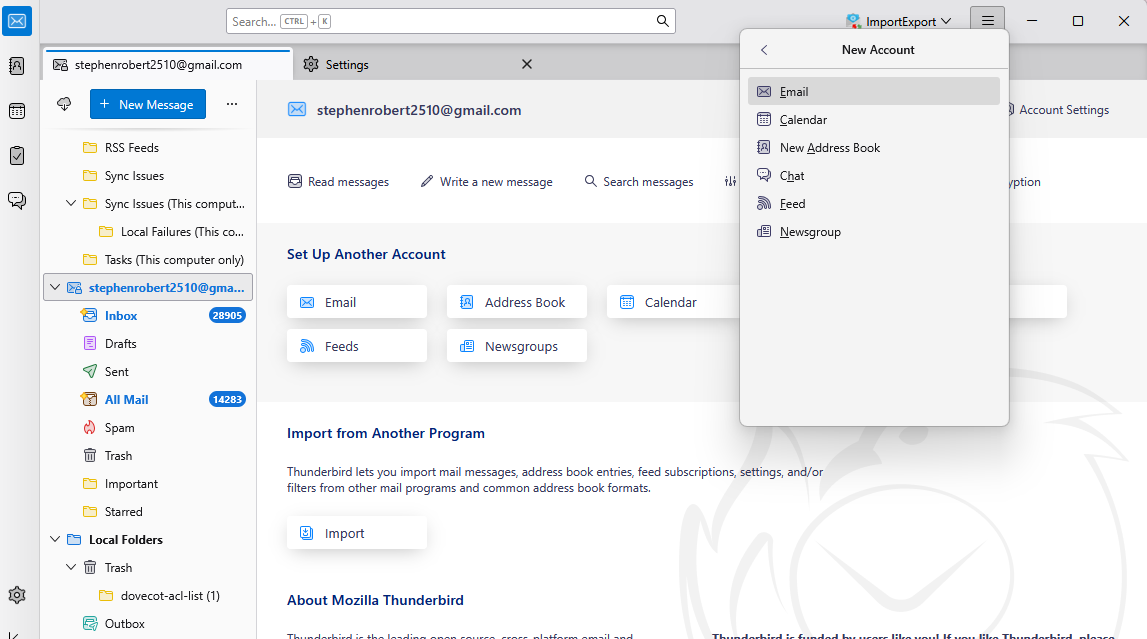
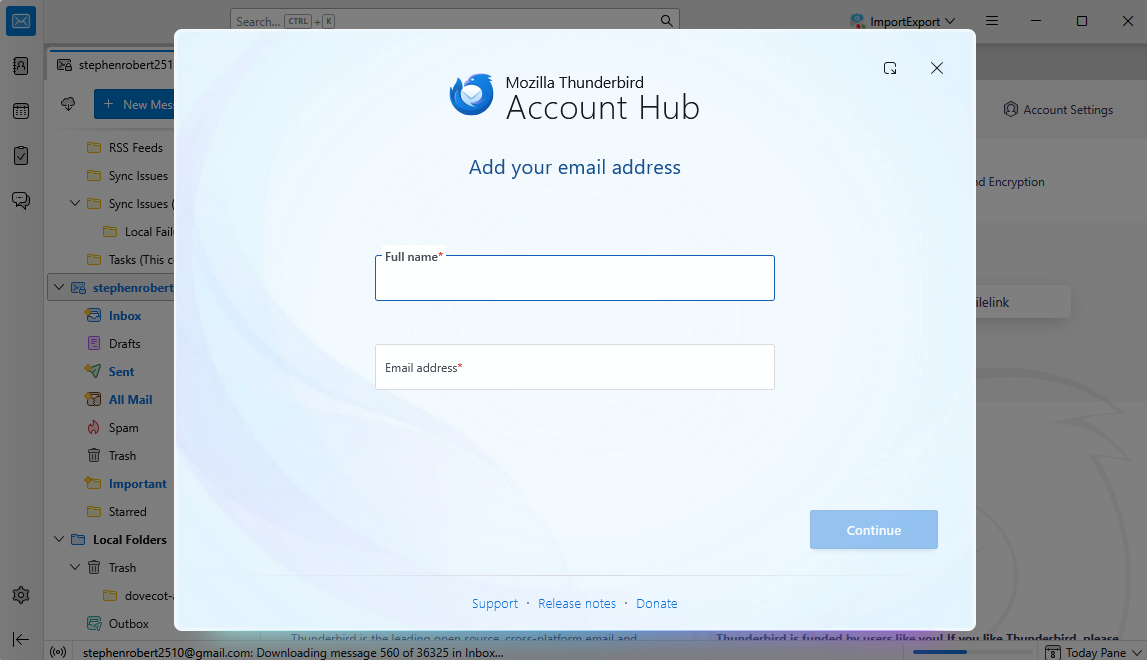
- Enter your Gmail login credentials and verify using two-factor authentication.
- Now, navigate to Windows Live Mail location and select EML files.
- Drag and drop EML files into the configured Gmail account.
- After syncing you can access all your Windows Live Mail emails in your Gmail account.
Challenges of Manual Method
- Dragging thousands of EML files at once can take lots of hours or even days.
- Manual drag and drop often creates duplicate emails.
- Nested folder may not keep in its original formatting.
- Users must install and configure Thunderbird and Gmail correctly, which can be challenging for common users.
- Any interruptions, like shutdowns or slow connectivity, can cause the migration to fail.
How to Transfer Windows Live Mail to Gmail (Google Workspace)?
If you want to transfer Windows Live Mail mailbox data to Google Workspace account with maintained user mapping, we recommend you to choose EML to Google Workspace Importer. This tool is a fully reliable software for effective migrations and can easily handle large volumes of data without any risk. To see this utility, you just need to click on the download button and perform simple steps to make hassle-free migration.
Simple Steps to Migrate Windows Live Mail to Gmail
- Install the software and follow the on-screen instructions to launch it.
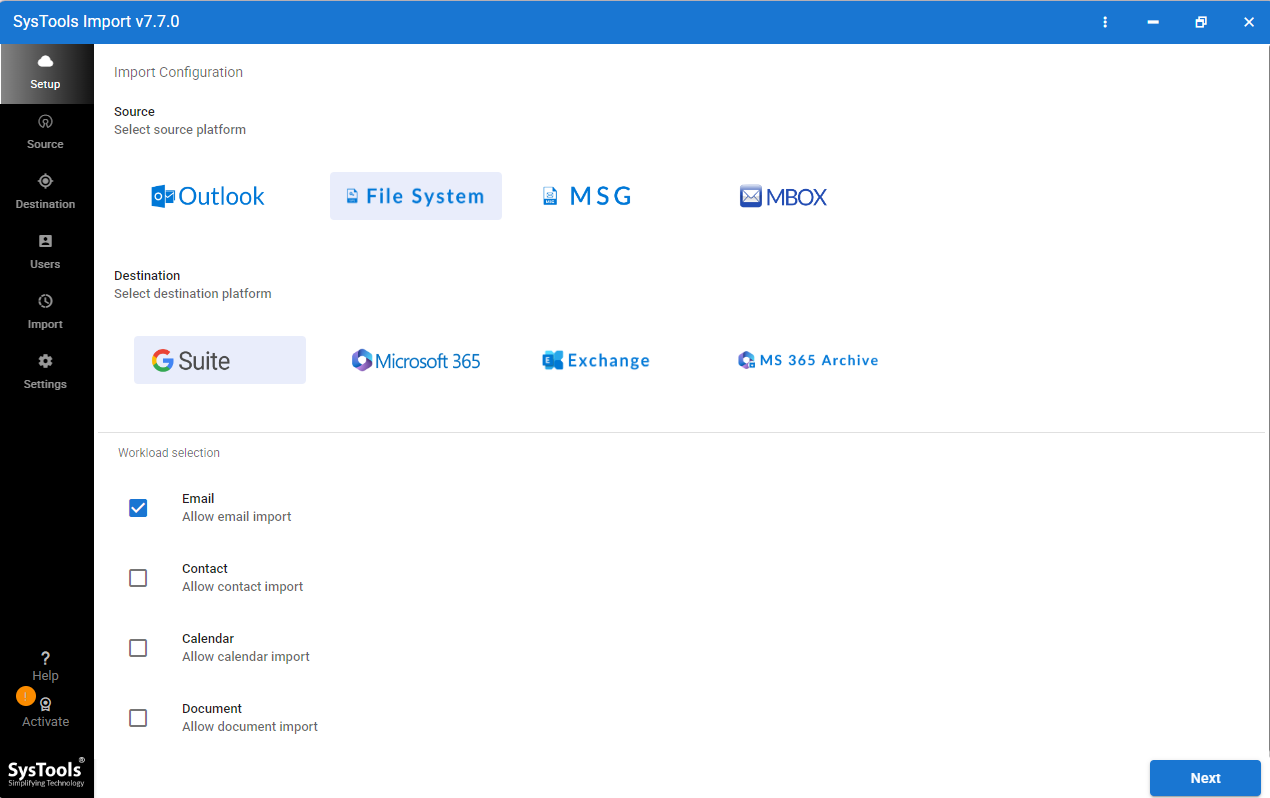
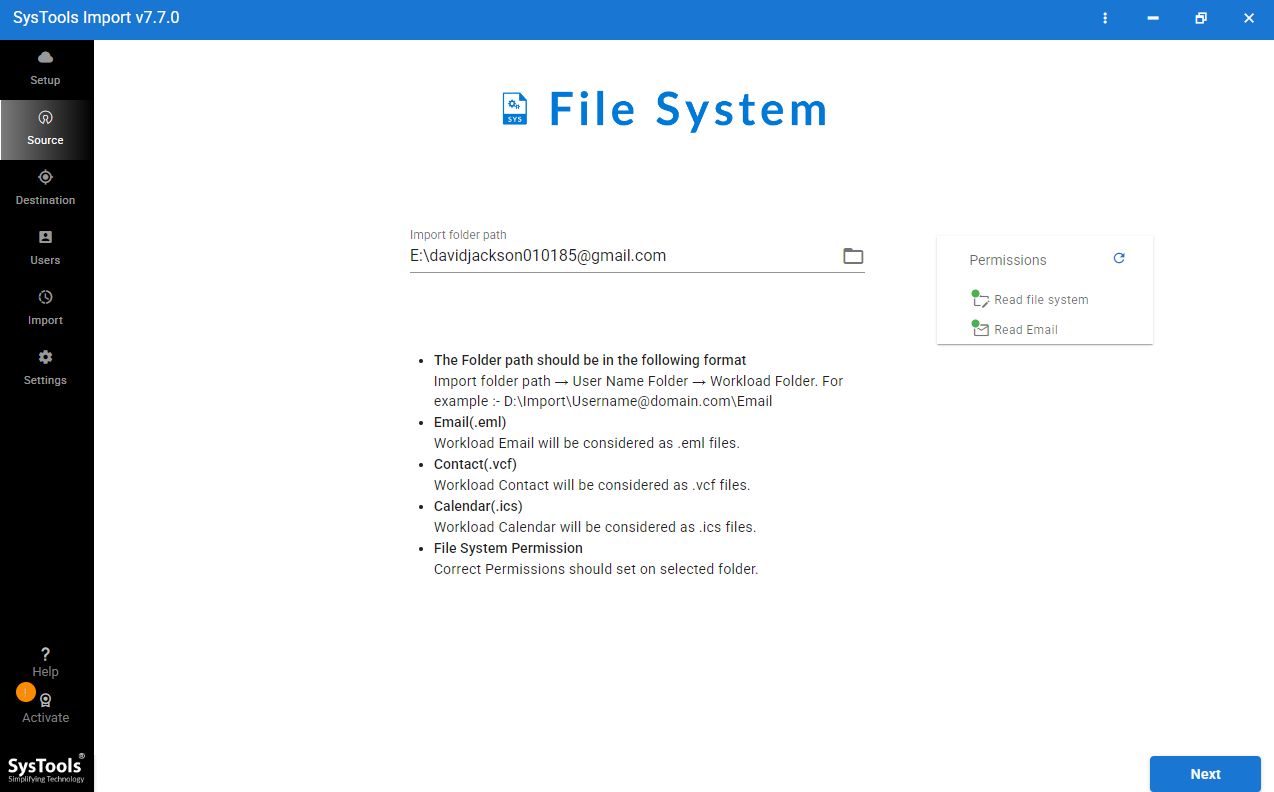
- Now, select File System as the source and choose your emails.
- Browse EML files and select Google Workspace as destination.
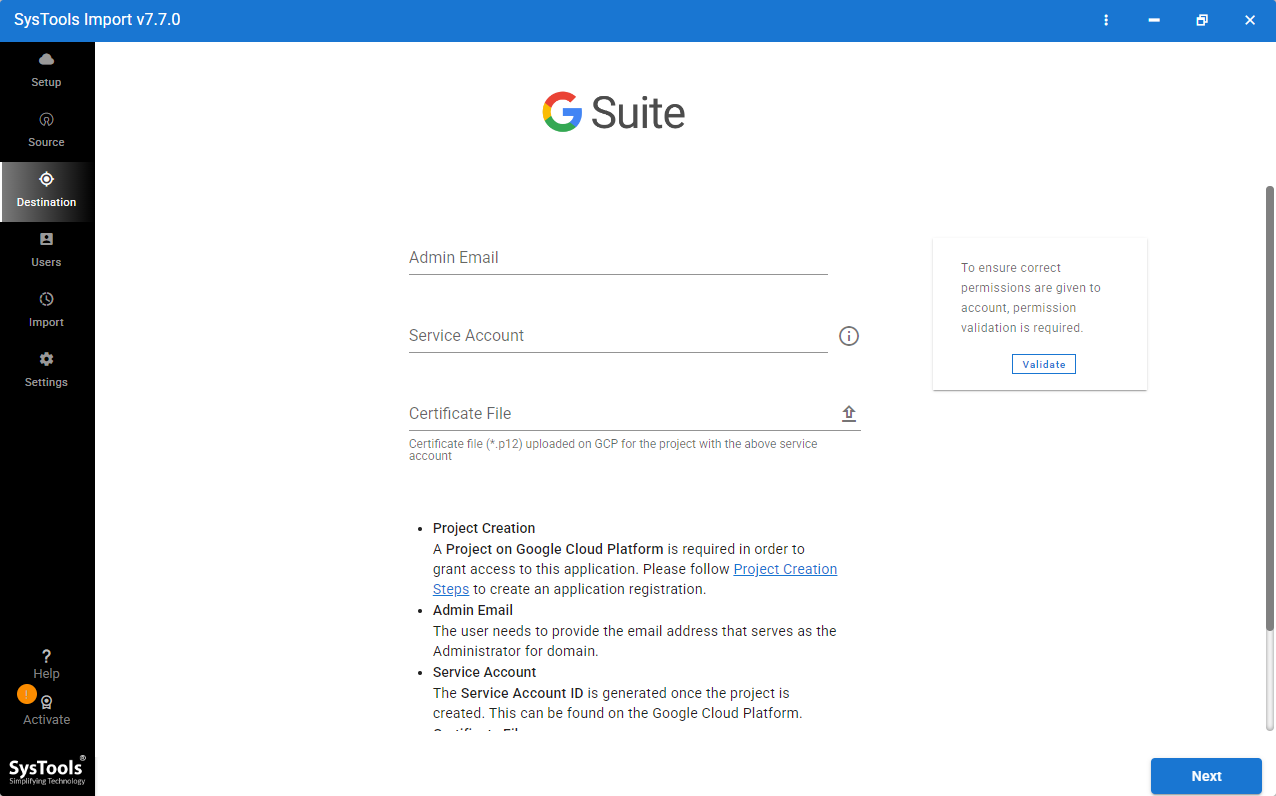
- Enter Google Workspace login credentials and click on Next.
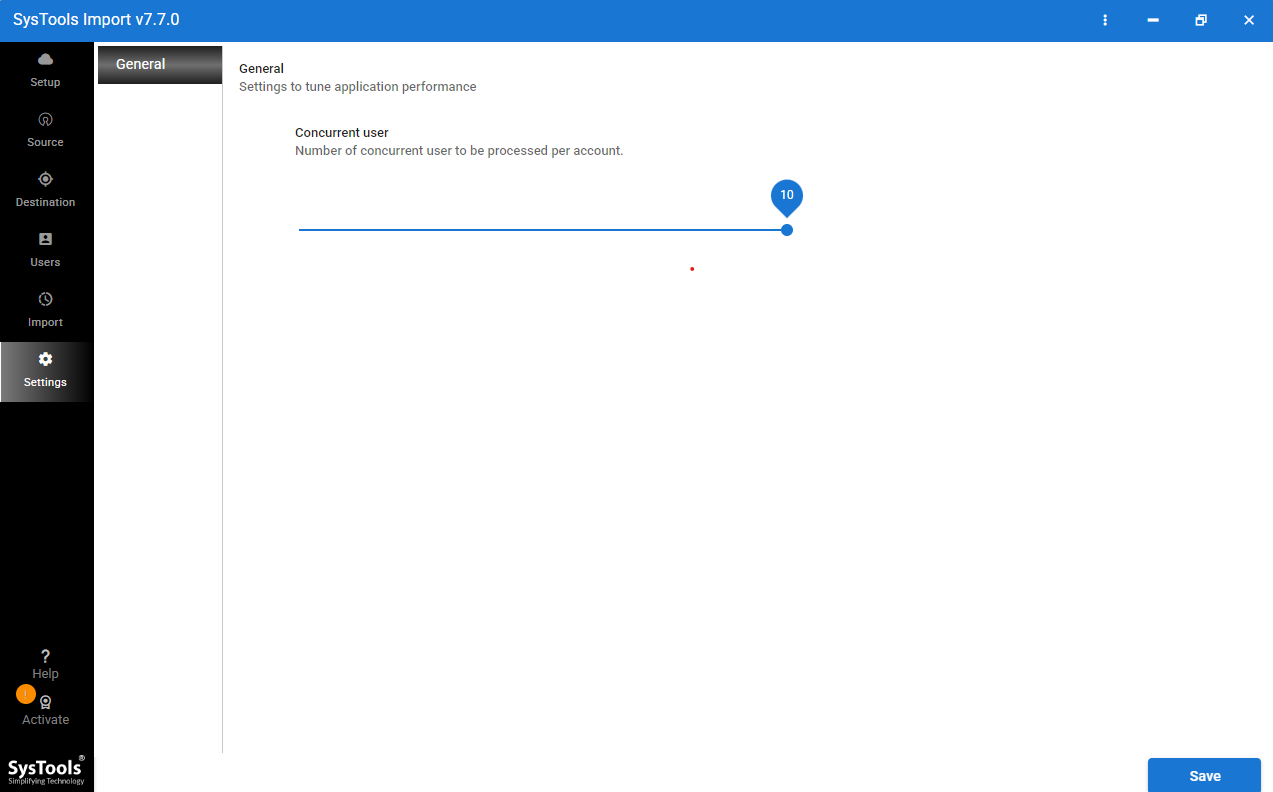
- Here, choose concurrent settings based on your PC configuration.
- Select the targeted user mailbox data and click Start Import.
Key features of WLM to Google Workspace Importer
- It maintains the folder structure of your Windows Live Mail folders in your Google Workspace account.
- It handles large volumes of emails without performance issues or errors.
- The software can selectively migrate emails based on date range to stay away from unwanted emails.
- All attachments including PDF, images or any other data will be preserved in its original format.
- Safely imports thousands of emails, even from large mailboxes, without IMAP configuration.
- It offers concurrent settings to speed up migration based on your PC configuration.
- Enable mapping of EML files to the correct Google Workspace user mailboxes.
People Also Ask
Can you still use Windows Live Mail?
You can technically run Windows Live Mail on Windows 7 and Windows 8. But Microsoft officially discontinued it in 2017. It no longer receives updates, no security, bug fixes that make it completely unsafe. Modern email providers like Google Workspace are the best alternative and allow you to access from any machine or place without requiring a specific machine.\
Why is my mail not syncing with Gmail?
Mail syncing with Gmail often fails due to weak connectivity. If connectivity is unstable then your email client cannot fetch new messages from Gmail. Restart your router, check internet speed to fix this problem.
Is the G Suite being discontinued?
G Suite was not technically discontinued, but it was rebranded as Google Workspace in late 2020. Google transitioned all legacy free G Suite accounts to Paid Google Workspace subscriptions, though they offered no-cost for personal, non-commercial use.
Is Google Workspace free or paid?
Google Workspace is the primary paid platform and it’s specially designed for businesses. However, Google offers a free version for qualifying non-profits or education institutions. Regular users can access Google Workspace apps like Docs and Drive for free using standard personal Gmail accounts.
Final Thoughts
In this technical guide, we have covered all reliable techniques to migrate Windows Live Mail to Gmail. Free Google accounts users often perform the migration manually using Thunderbird. But for Google Workspace migration users often need to migrate large mailbox data and require the same accuracy without facing any data loss.