How to Change Access Database Password? Top 2 Ways


Need to change the credentials of MS Access database but not sure how to do it? Microsoft Access allows you to change or replace a database password for MDB or ACCDB files when you know the existing password. The database should be opened in Exclusive mode before you remove the current password and apply a new one. The process to reset MS Access file password allows you to protect your crucial data against unauthorized access. Hence, our clients can maintain the confidentiality of information.
Microsoft Access is an integral part of any small business. Hence, it will contain information that may be sensitive to a company. So, the best thing you can do to keep your data safe is password-protect it. To perform this task, you first need to remove password from your Access database. Remember that you need your current password to change it.
How to Change Microsoft Access Database Password?
- Launch the MS Access application and select Open.
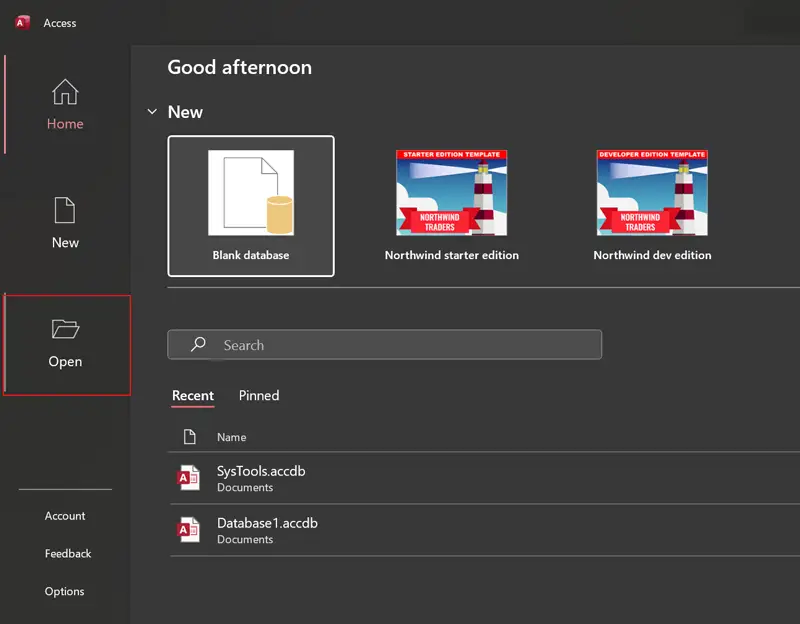
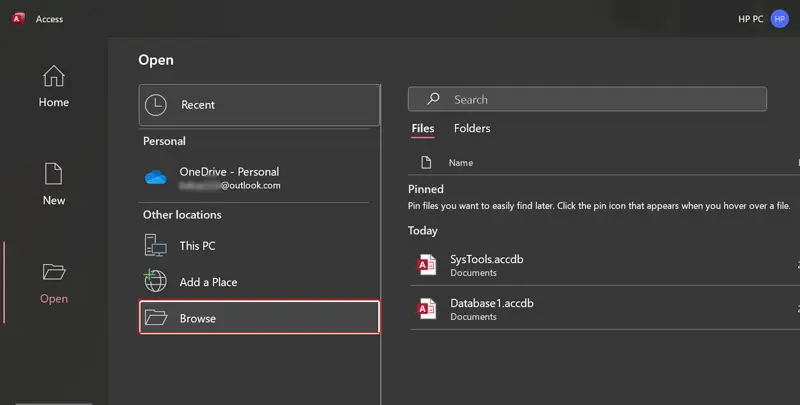
- After that, choose Browse to open Access database.
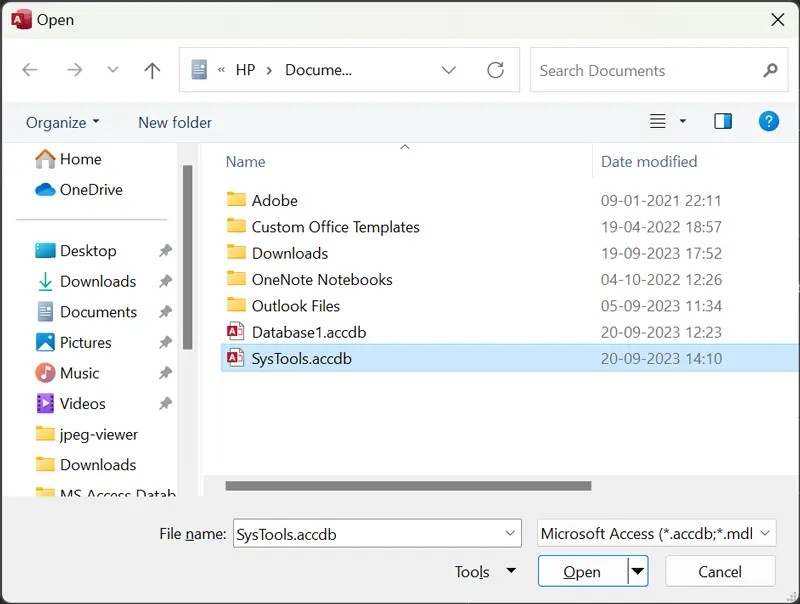
- Pick MS Access database for changing password.
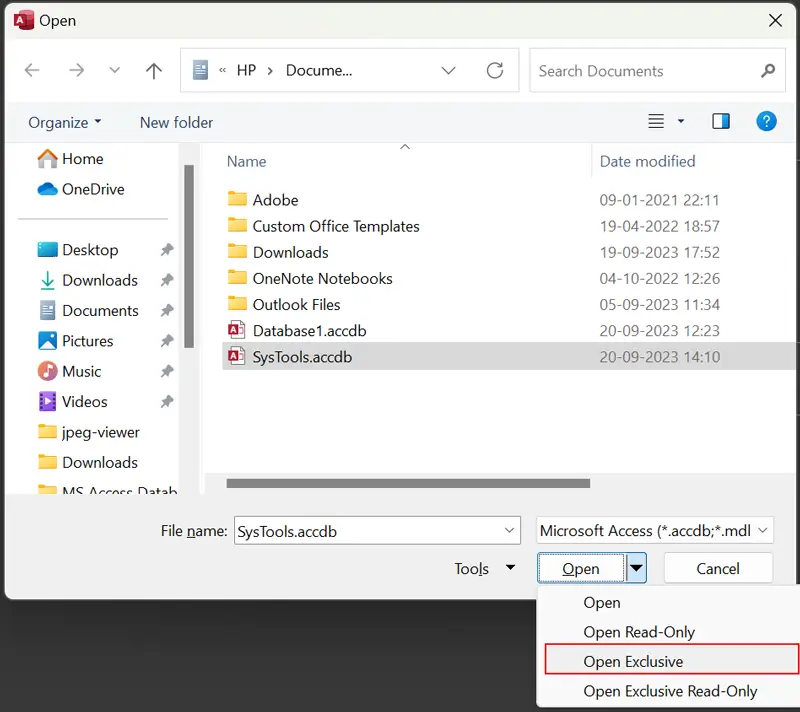
- Now open the selected Access database in Exclusive mode.
- Enter the current Access database password and click OK.
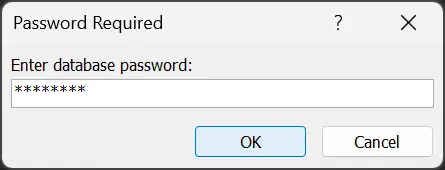
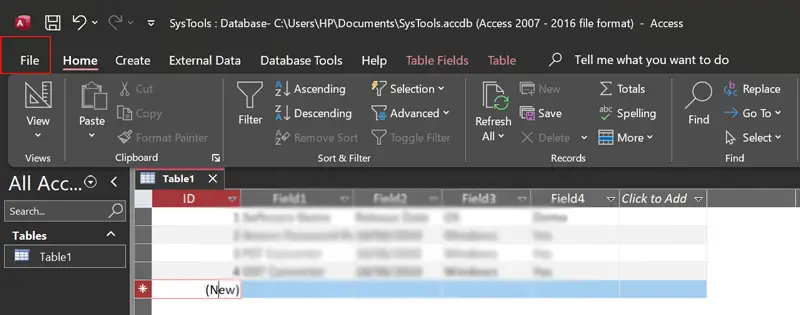
- See database records in MS Access and choose File.
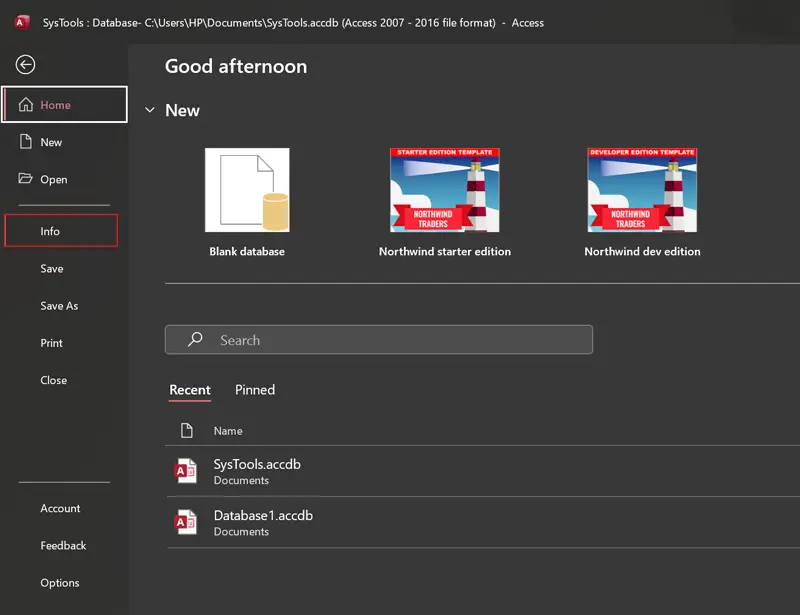
- Thereafter, select the Info option from the dropdown.
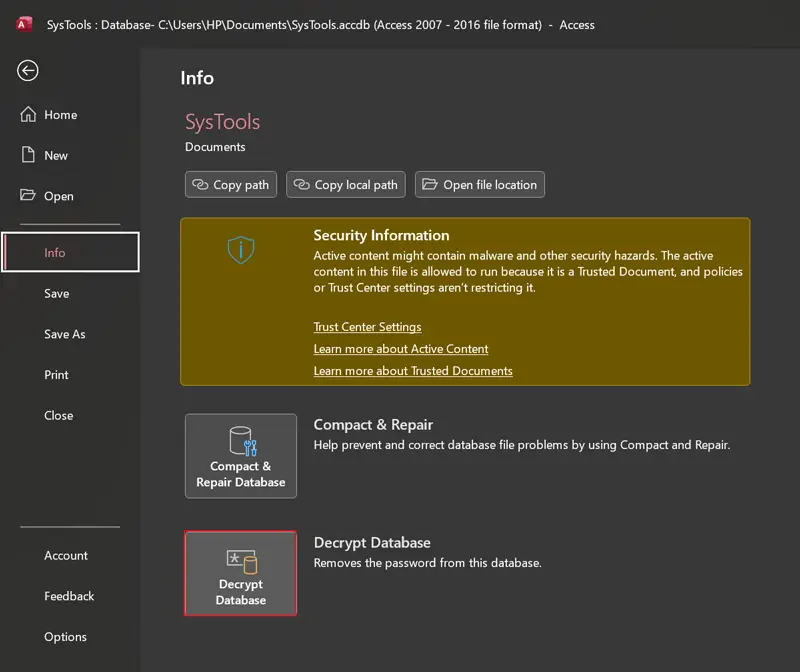
- Click on the Decrypt Database button in MS Access.
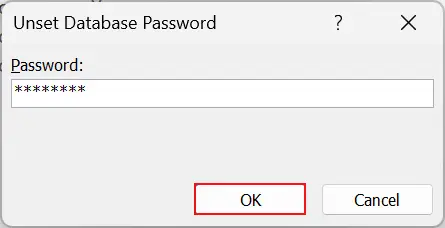
- Enter the MS Access database password and hit OK to unset the password.
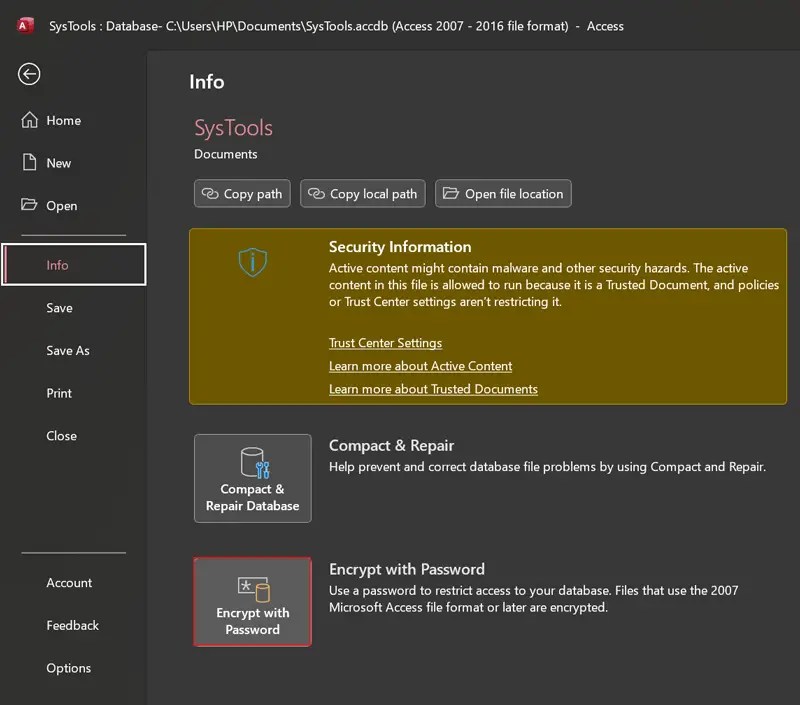
- Select File >> Info >> Encrypt with Password as shown in the figure.
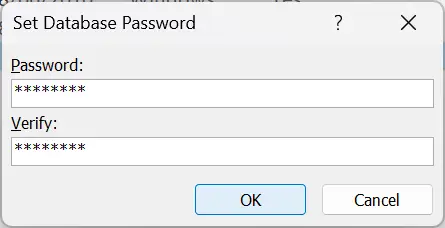
- Now set and confirm the new password for Access database and click OK.
Not A Valid Password Error, What to Do?
Above we have mentioned the complete step-by-step process to change MS Access password for MDB & ACCDB database. But sometimes, you cannot reset MS Access database password due to an error i.e., Not a valid password. This happens if you forget the Access file password and type the wrong password when the process asks for a password.
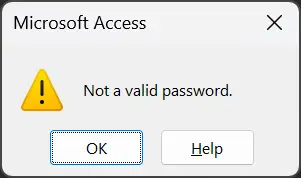
If you are getting a “Not a Valid Password”error pop-up message, then this is mandatory to recover a forgotten MS Access database password. But manually this is not possible to unlock Access database password once you forget it. Hence, in this case, you can use a professional solution to change MS Access 2016/2013 database password.
How to Reset Access Database Password? Expert Solution
If you do not have an existing password and need to change password of MDB or ACCDB database file. In such a situation, using a trusted offline solution like FreeViewer MDB Password Recovery Software becomes an ideal choice for both professionals and beginners.
The robust tool offers options to add password-protected files, allow users to recover complex or multilingual passwords, and copy the recovered password so you can restore access to the MDB or ACCDB database. The tool works completely offline on Windows, making it a practical solution when the original Access credentials are no longer available.
Stepwise Guide to Reset MS Access Database File Password
- Download, install, and run Freeviewer’s software on your computer.
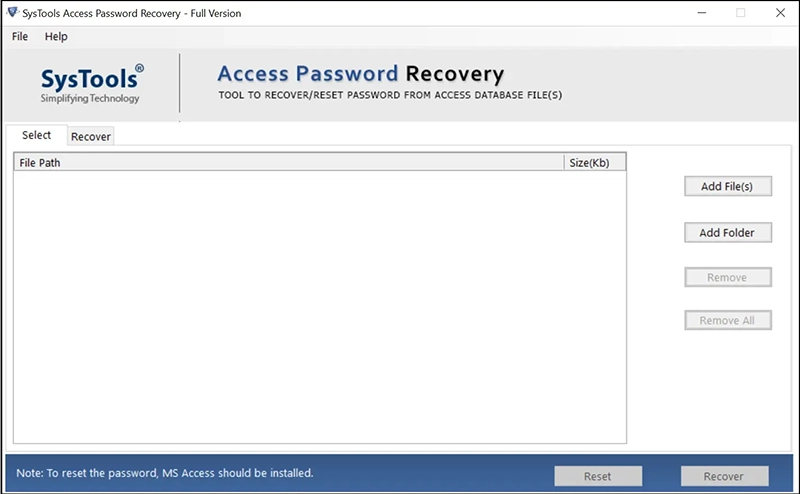
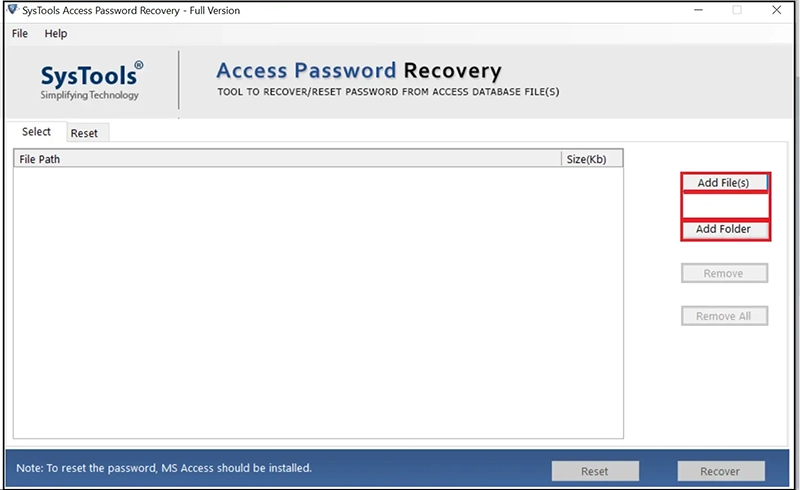
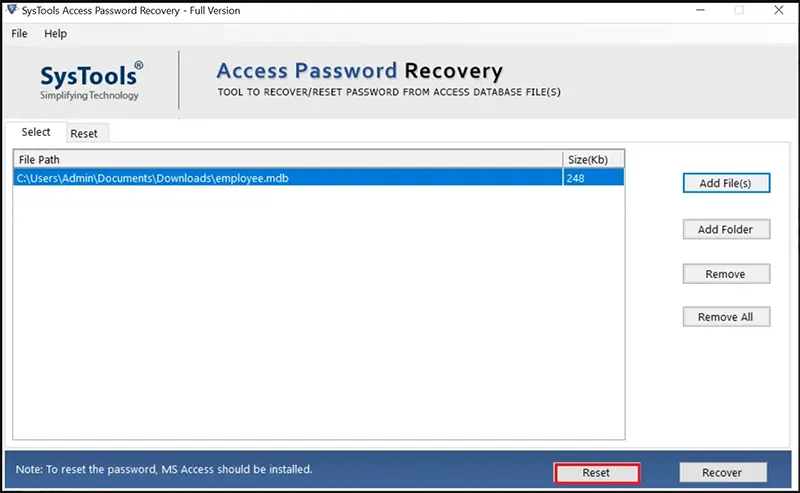
- Choose the Add File(s) or Add Folder option to add MS Access database.
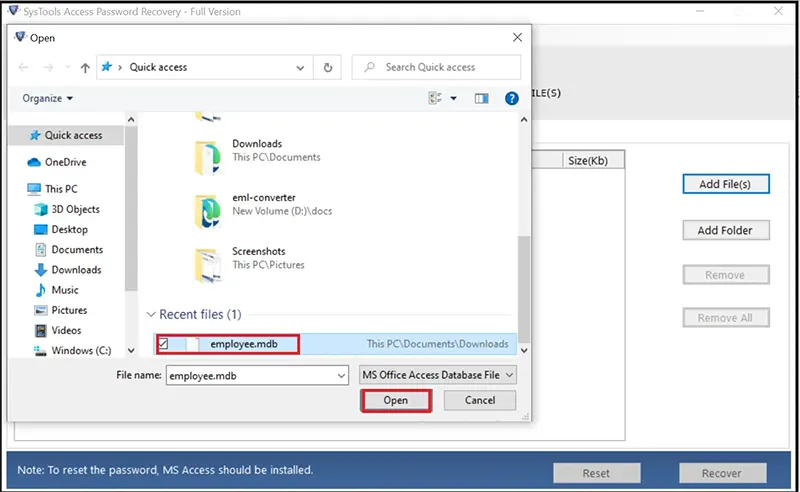
- Browse forgotten password MS Access databases and click Open.
- Select the required MS Access database to reset password.
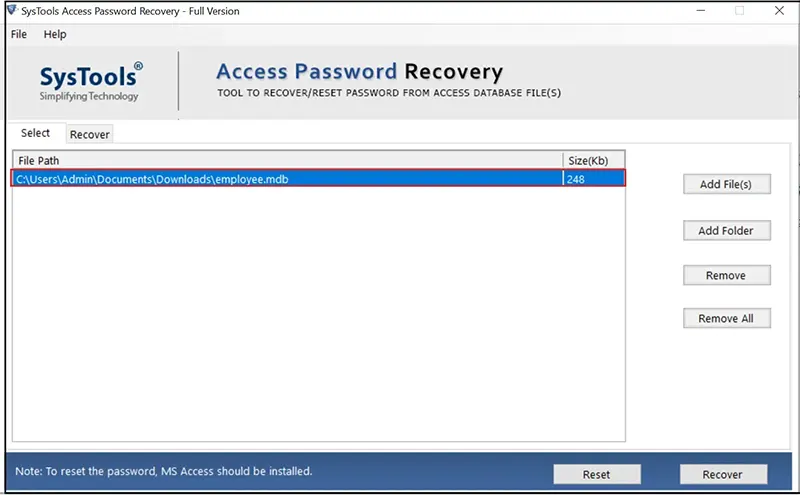
- Hit the Reset button to reset MS Access database password.
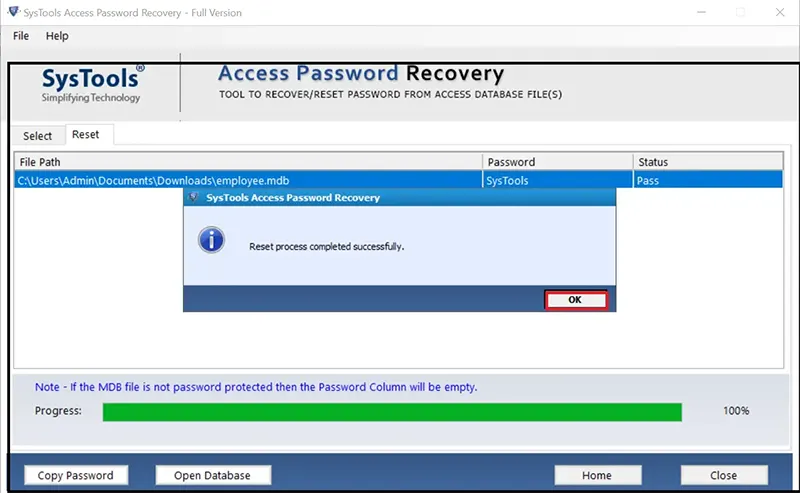
- See the reset process completed successfully, and click OK.
- Now you can see the forgotten password, hit the Copy Password button.
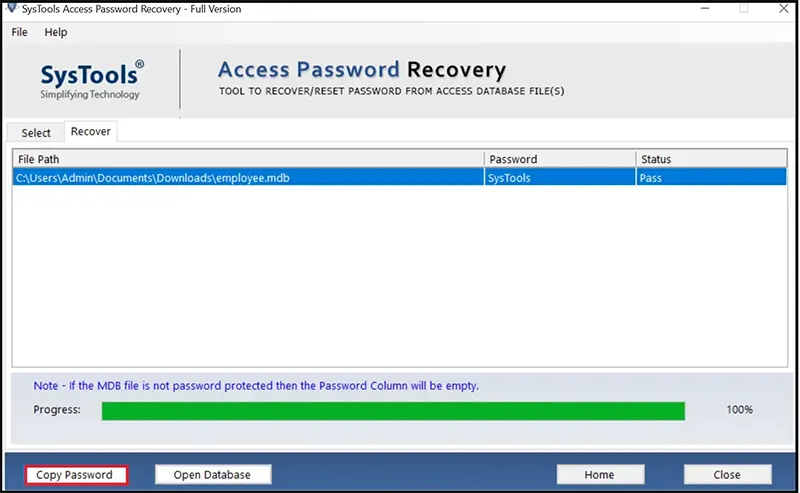
- Thereafter, you can use a restored password to reset Access database password.
Benefits to Change MS Access Database (MDB & ACCDB) Password
- Enhanced Security: If you change Access database password, then you can reduce the risk of unauthorized access to your database. Hence, you can easily safeguard your sensitive information.
- Data Privacy: Resetting Access password ensures the privacy of your crucial data. It is most helpful in preventing data breaches and leaks.
- Compliance: Some regulatory requirements mandate periodic password changes. Compliance is essential for certain industries and organizations.
- Prevent Stale Access: The procedure to reset Access database password helps to prevent former employees or users from continuing to access the database.
- Peace of Mind: Knowing that your data is secure with a regularly updated password provides peace of mind.
Conclusion
As we know, changing Access database password is a fundamental practice to improve security and access control. Home and working professionals prefer to reset MS Access database password to enhance the protection of valuable data. If you regularly change password in Access database, then you can reduce the risk of unauthorized access.
Above we have explained the completed steps to change and reset Access database password using manual and professional techniques. You can go with any method that is suitable to resolve your problem in an efficient manner.
Put Queries, Get Solution!
Q 1: How to reset MS Access database password?
A: Brief steps to reset Access database password:
- Start MS Access and choose Open >> Browse.
- Select Access database and open it in Exclusive mode.
- Enter current database password and Ok.
- After that, choose File >> Info to continue.
- Choose Decrypt Database and confirm the old password.
- Encrypt the Access database again with a new password and finish.
Q 2: Can I use your software to change the forgotten MS Access database password?
A: Yes, the recommended tool doesn’t ask for an old password while resetting Access database password for both MDB & ACCDB files.
Q 3: Is MS Access installation mandatory to use the automated tool?
A: Yes, installing Microsoft Access is important to reset password of Access database in an efficient manner.