The enterprise-grade cross Tenant Migration solution for Microsoft 365 accelerates Mergers, Acquisitions (M&A), Divestitures, and Restructuring.
Why Pick FreeViewer M365 Tenant Migrator | Awards & Reviews
Avoid the most common points of failure in cross-tenant migrations. Download our comprehensive Office 365 Tenant Readiness Checklist to learn how to correctly audit licenses, prepare domains, and handle legacy protocols before your weekend cutover.
A complete solution to handle any edge-case your Microsoft 365 Tenant environment presents.
3-Step Approach to Perform Office 365 to Office 365 Migration
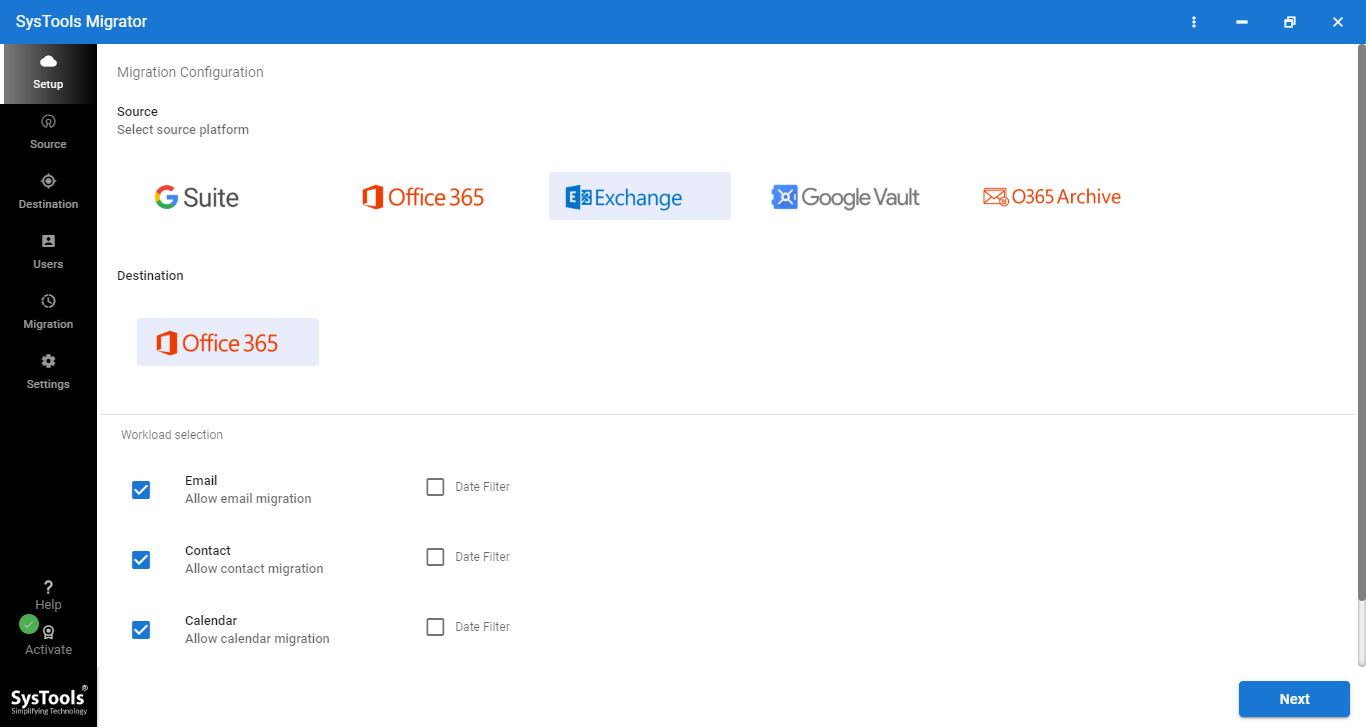
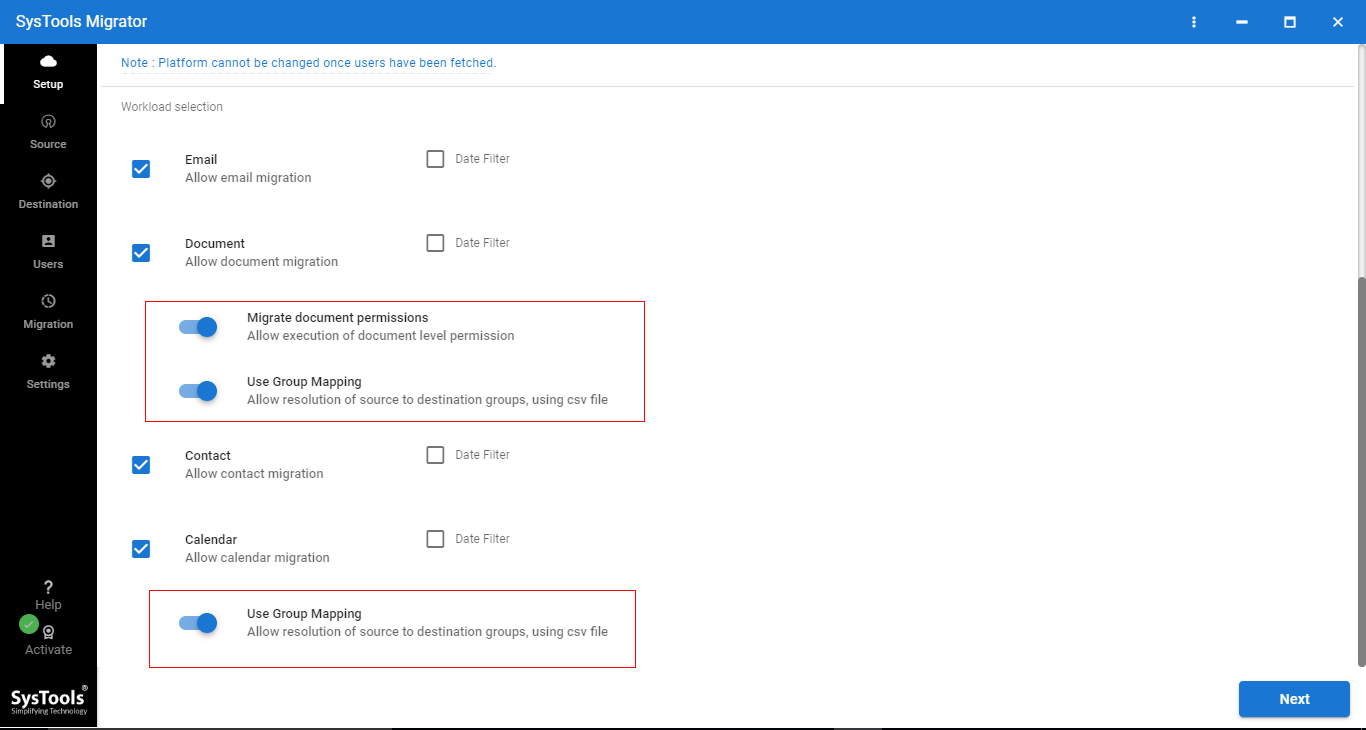
Step 1. Select Office 365 Items
Download O365 Tenant Migration Tool. Next, Select Items which you want to Migrate
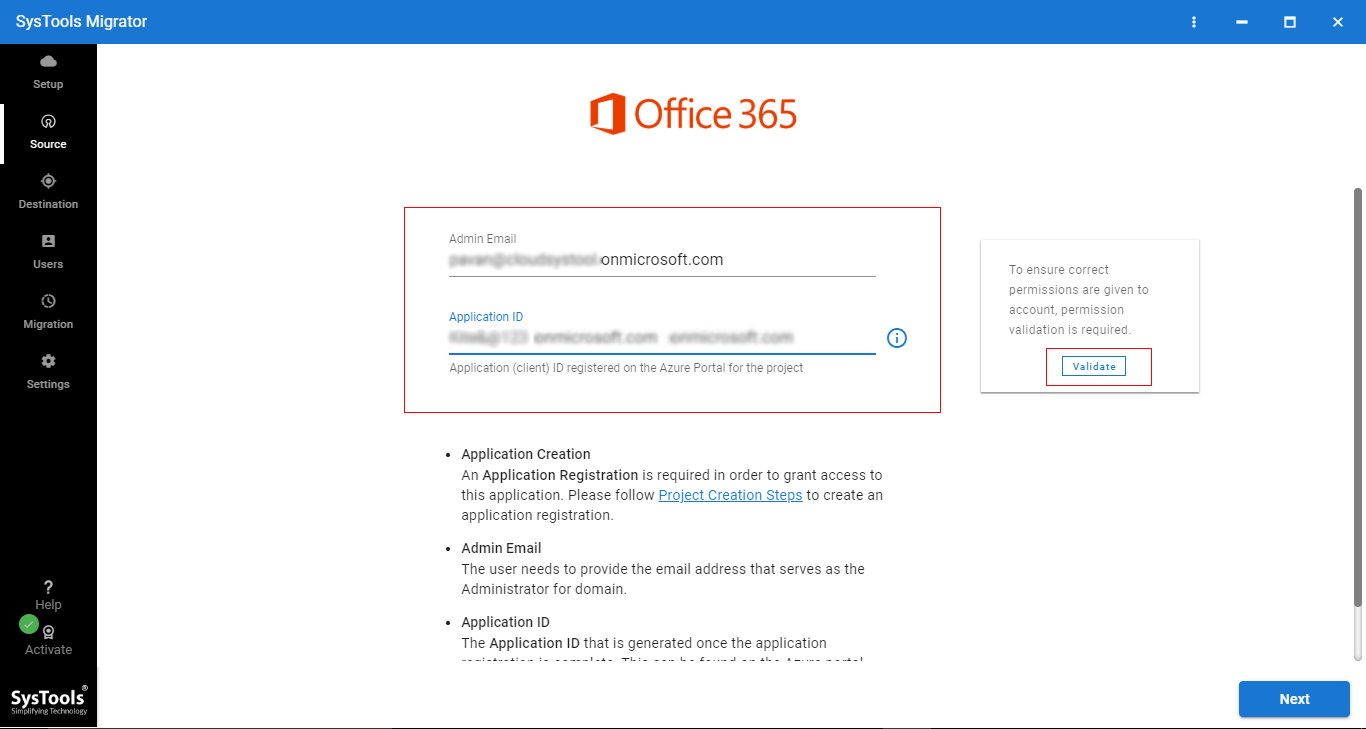
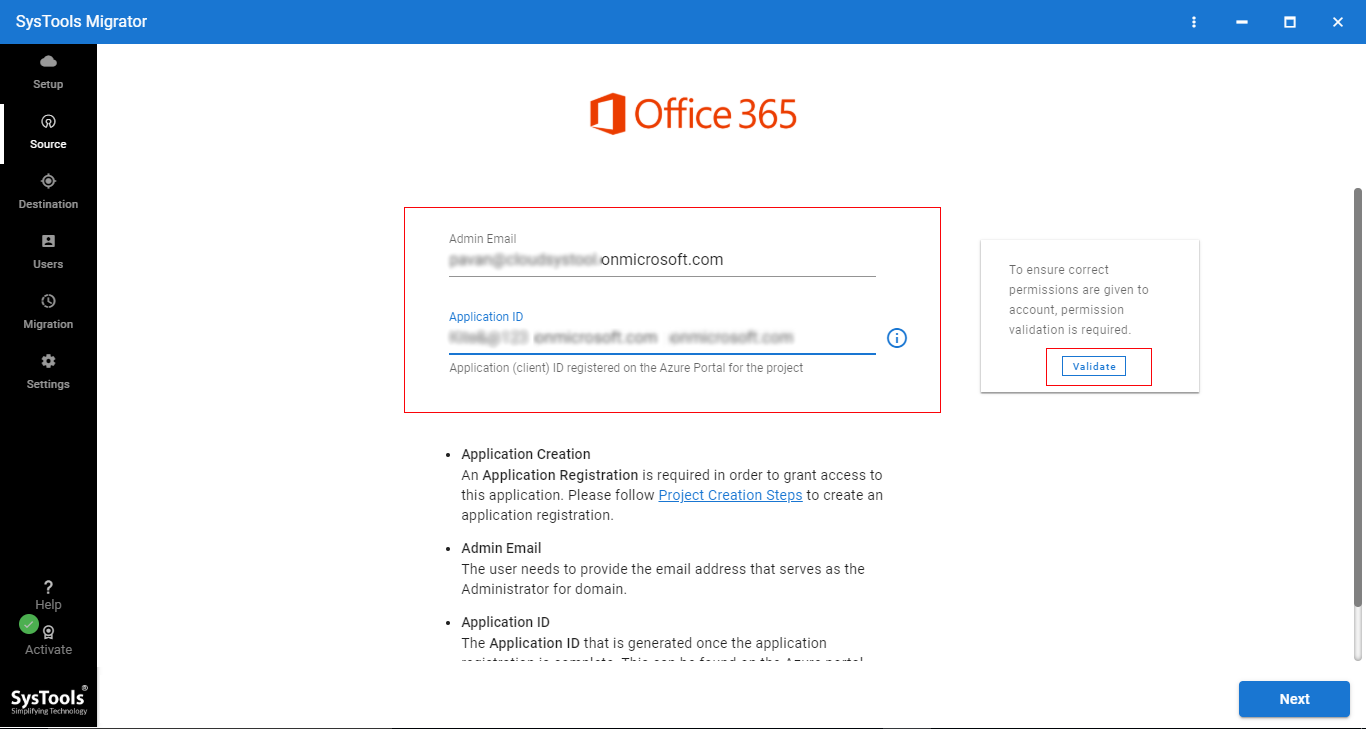
Step 2. Enter Office 365 Admin ID & Application ID
Enter Source & Destination Office 365 Admin ID and Application ID
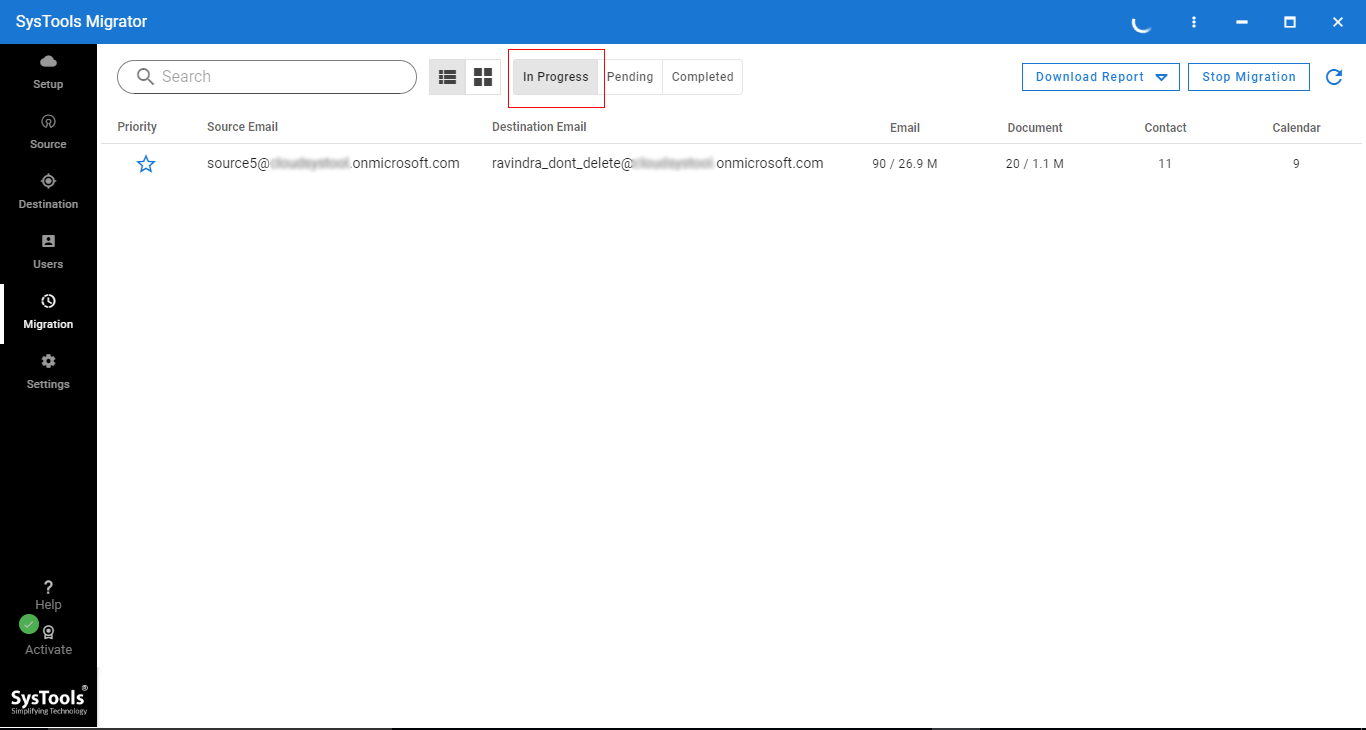
Step 3. Start Office 365 Migration
Finally, start the migration progress. After completion save Migration report.
Best Tool to Migrate Office 365 Account to Another Office 365 Account

Office 365 to Office 365 Migration
The Office 365 Tenant to Tenant Migration tool allows moving Office 365 mailboxes to another account with 100% accuracy. It migrates contacts, emails, calendars and documents from one account to another in a seamless way. This software also maintains the Meta properties while migrating data from source to destination tenant.

Add CSV of Office 365 Mailbox Details
In order to begin the transfer, users have to provide the mailbox credential for source and destination users. To do this, instead of adding them one at a time manually, users can add .csv file having each detail of Source ID, Destination ID of Office 365 users accounts. Office 365 Tenant Migration Software contains sample CSV template.

Office 365 Shared Mailbox Migration
The tool is capable enough to migrate Office 365 shared mailboxes data between Office 365 Tenants. The application supports migration of the Office 365 shared mailbox to user mailbox and Office 365 shared mailbox to Office 365 shared mailbox.

Office 365 Archive Folder Migration
This advanced tool provides the facility to migrate Office 365 user data stored in user archive folder between Office 365 mailboxes. By using the tool, users can easily migrate Office 365 archive folder emails to another Office 365 archive folder.

Date Filter for Mailbox Items
The Office 365 to Office 365 migration tool allows to move data from one Microsoft Office 365 to another account and also help to filter the emails received within a certain date range. With this feature, users can export emails, calendars and documents between "From" to "To" date range by setting up filters accordingly.

Transfer Mailbox Data Items
Office 365 Cross Tenant Migration utility equips an option to export emails, calendars, contacts, and documents. However, if users want to move only selected items, then they can check or uncheck that item from the software pane. It can only migrate selected items, by preserving the complete folder hierarchy.

Authenticate & Migrate Mailboxes
As you are adding the source and destination mailboxes, Microsoft Office 365 to Office 365 Migration Software first maps each user mailbox. Once the mapping is done, it will authenticate mailboxes and proceed with data migration. You can also view the migration process in progress status window after clicking on Start Migration button.

Create Complete Summary Report
As you begin the Office 365 transfer; Microsoft 365 to Microsoft 365 migration tool will display the complete details and total count of mailboxes being exported from source to destination. Further, you can see both current or final status report which contains details such as success & failed items, source & destination ID, file name, status, error, etc.

Re-Run Migration Facility
This tool provides three options for re-run migration:

Option to Set Priority of Accounts
Office 365 to Office 365 migration tool provides an account-based priority option, with this option you can set the priority of Office 365 users accounts to migrate first. To enable account-based priority you have to click on the start icon. Once this option is enabled, the tool will migrate these accounts data first.

Move Multiple Office 365 Users
The tool allows configuring more than one Office 365 user accounts. By applying this option, you can migrate user's account data from multiple Office 365 account at a time. You need a highly configured machine to perform multiple Office 365 project migration.

Stop Migration Option
The tool provides a stop migration option with which you can stop all ongoing Office 365 to Office 365 migration process. This option will stop running the migration process of all users' data. You can restart the migration process by clicking on Start Migration button again.
Manage Mass Architectural Shifts | Skip API Limits | Bypass Hidden License Costs
OAuth 2.0 & ISO 27001 Security
Never store global admin passwords. Our Office 365 Tenant migration tool utilizes strict OAuth 2.0 token-based authentication, functioning as a secure pass-through pipeline for corporate data.
Teams, SharePoint, & Folders
Move beyond standard Exchange mailboxes. Natively transfer 1:1 Personal Teams Chats, complete SharePoint Online sites, and complex Public Folders during a Microsoft 365 tenant migration.
Pre-Migration Assessment & Audit
Scan the source environment before moving data. Calculate volume, identify corrupted items, and verify destination licensing (E3/E5) to prevent mid-project failures during a cross tenant migration Office 365.
Bypass Microsoft Throttling
Native PowerShell methods stall due to backend API limits. Our concurrent routing engine intelligently distributes workloads, ensuring maximum transfer speeds for an Office 365 Tenant to Tenant migration.
No Cross-Tenant License Fees
Avoid hidden Microsoft licensing costs. You do not need to purchase expensive native cross-tenant add-on licenses to execute the data transfer across disconnected domains.
Mail Routing & Coexistence
Maintain business continuity during phased M&A transitions. Retain calendar free/busy states and continuous mail forwarding between the source and target tenant.
Download the Best Office 365 to Office 365 Migration Tool for Free
Trial Limitations
Limitations
Trial version of this Microsoft 365 migration software can transfer / move only two users data from one account to another.
System Specifications
Hard Disk Space
500 MB of free hard disk space required
RAM
8 GB is Recommended
Processor
Minimum 4 Core Processor 2.3GHz
Application Pre-Requisites
Pre-Requisites
Supported Versions
Microsoft Windows
Windows 10 (64-bit), Windows 2012 / 2016 Server
FAQs


Electronic Delivery


Our Free Demo is fully unlocked. Test VIP routing, delta passes, and OAuth 2.0 authentication on 2 users before executing your cross tenant migration Office 365.
| Migration Capabilities | Free Demo Try for Free |
Full Version Production Ready |
|---|---|---|
|
Pre-Migration Environment Audit Scan source tenant and authenticate securely using OAuth 2.0 without passwords. |
||
|
Import CSV & Auto-Mapping Bulk map hundreds of source and destination users instantly via CSV upload. |
||
|
Advanced M365 Workloads Migrate Mailboxes, In-Place Archives, Teams Chats, OneDrive, and SharePoint Sites. |
||
|
VIP Account Tagging & Priority Routing Tag C-Suite or critical department mailboxes to migrate first with dedicated bandwidth. |
||
|
Concurrent Routing & Automated Delta Syncs Bypass Microsoft API throttling limits and run background delta passes for zero downtime. |
||
|
Custom Folder Mapping & Filters Map custom destination folders and apply specific Date-Range filters for the migration. |
||
|
Detailed Migration Summary Reports Export comprehensive CSV audits of all successful and failed items. |
||
|
Complete Office 365 to Microsoft 365 Tenant Migration Total number of user mailboxes permitted to be migrated. |
Two User Accounts | Unlimited Users |
Licensing CostNo hidden Microsoft cross-tenant add-on fees. |
FREEDownload Now |
$35 / userView Enterprise Plans |
Frequently Asked Questions
Find the Step by Step Guide to Migrate Office 365 Accounts:
What Customers Are Saying
Why Choose FREEVIEWER?
3M+
Happy Clients
250+
Products
100+
Countries
15+
Years of Experience