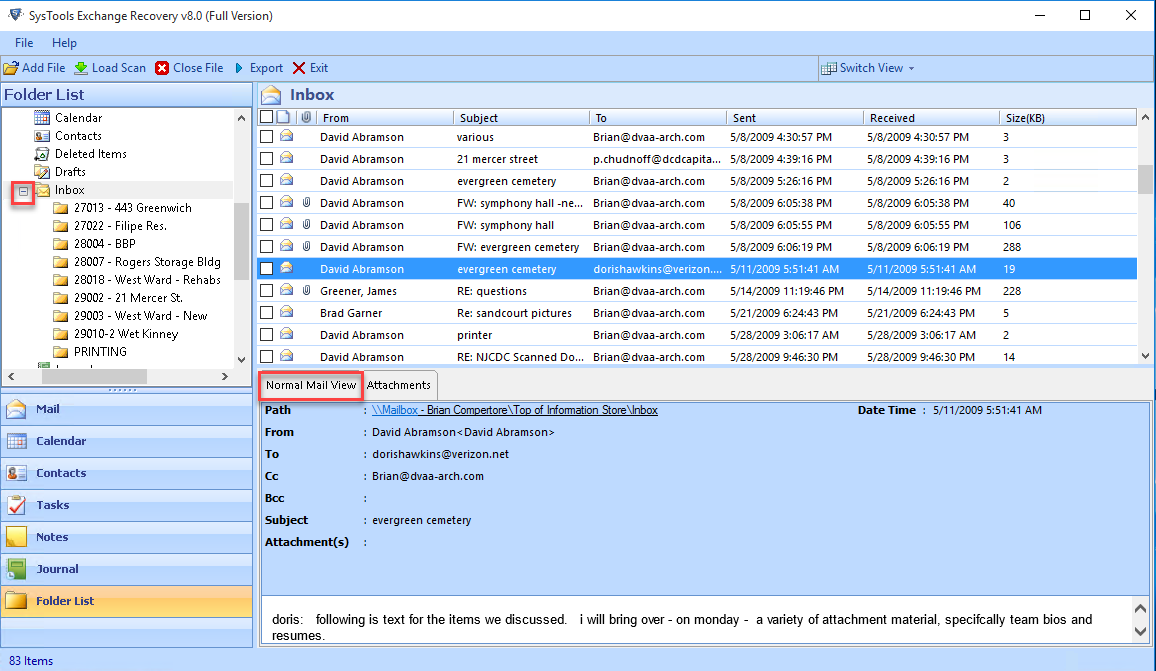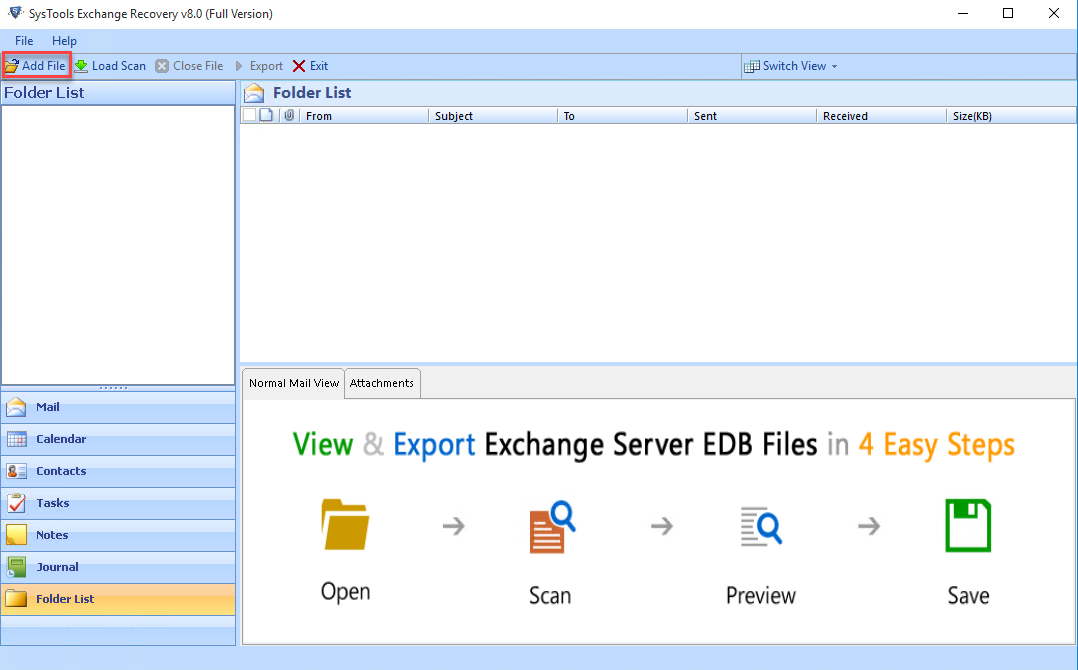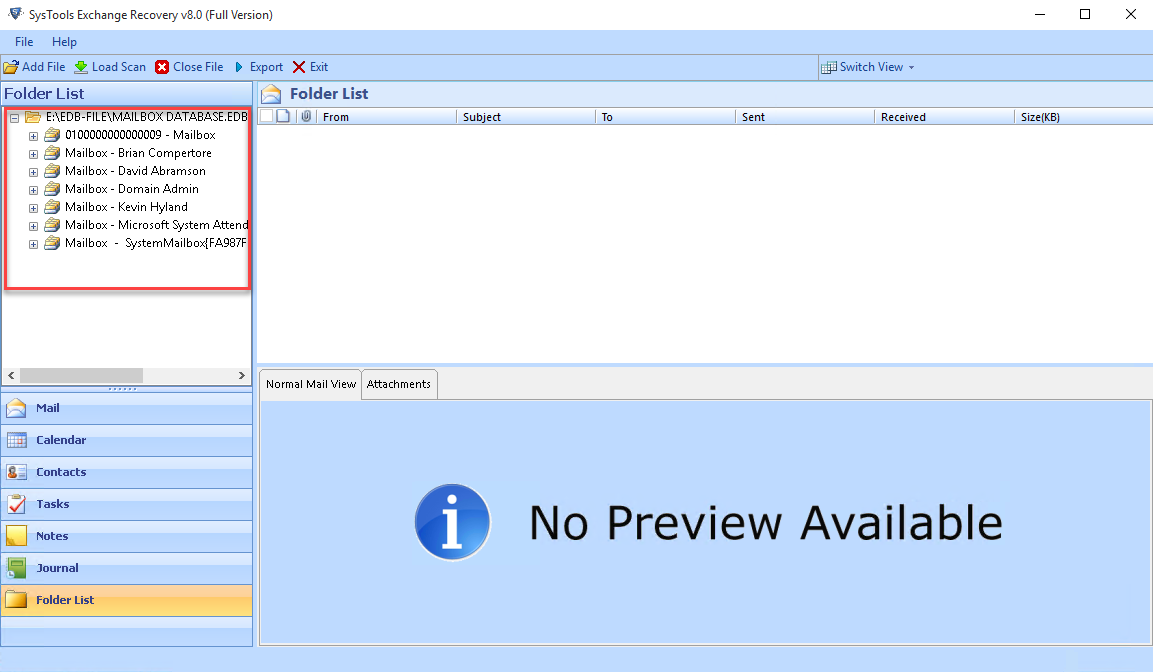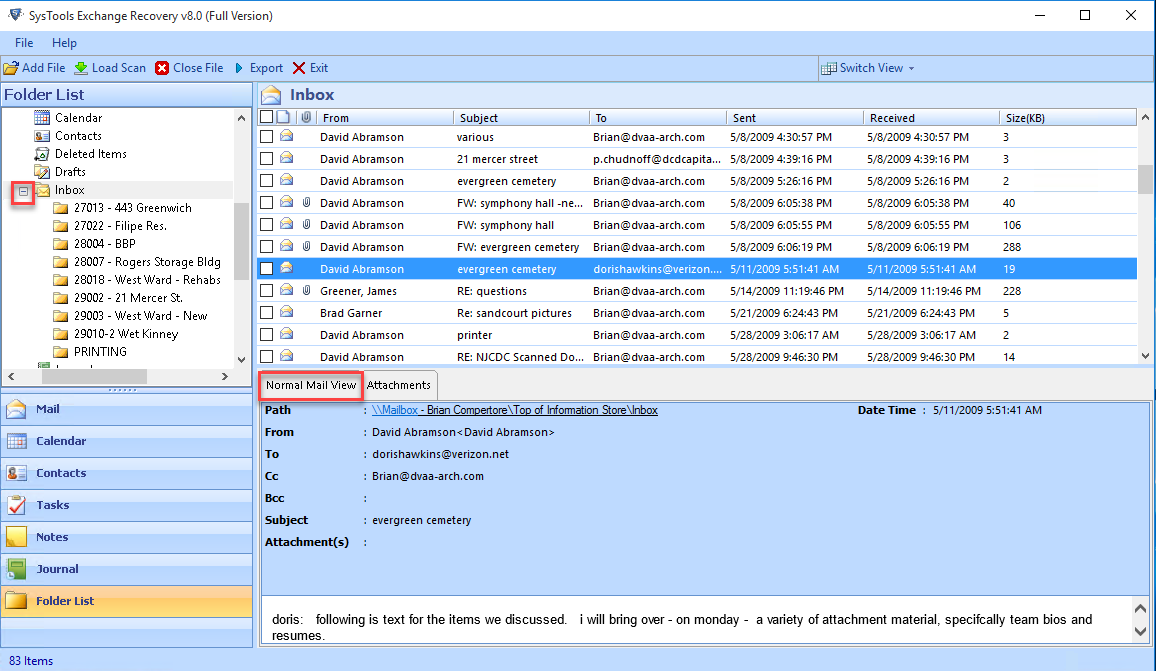
Microsoft MVPs and experts recommend this tool to recover data from EDB file. The software is capable to recover data from dismounted, corrupted, and large size EDB files.
Download Now
Safe & Secure
Purchase Now
30 Days Money Back*
Free EDB recovery tool allows users to recover data from corrupted, dismounted, and inaccessible EDB file and save only 25 items.

FreeViewer Awards & Reviews
“The Exchange EDB recovery software has got 5 star rating by CNET for its efficient performance and great conversion ability.”
“SoftwareSuggest has rated this application as the best EDB recovery software for the users who want to recover permanently deleted items from Exchange Server.”
“This Exchange recovery tool has received 4 star rating by the Filehippo software due to its unique set of features and robust performance.”
“Software Informer gives EDB recovery software 100% secure and clean award with 4-star ratings for its best performance.”
“Soft32 provides Exchange recovery software gets 5% star rating for being the effective utility for recovering EDB emails along with attachments.”
“Exchange mailbox recovery software get 100% clean award for delivering Virus/Ad/Spyware freely by Soft Pedia.”
“This EDB Recovery Software has been rated 9.5 out of 10 by FinancesOnline. Users can use this application to recover deleted items from Exchange Server. It provides the best solution to repair Exchange Public Folder as well as Private Folder.”
“G2Crowd has given 5 star rating for its great performance. They have rated it as the best Exchange Recovery Tool due to its option to restore mailbox database from EDB File.”
Restore & Preview Exchange Server Mailbox Items
| Exchange Mailbox | Microsoft Exchange Server Mailbox is a container which stores user data items. User mailbox facilitates exchanging messages, contacts management, meeting scheduling, and making a task list. Export option of Mailboxes:
|
| Mailbox Types | EDB Recovery Tool supports all types of User mailboxes in EDB file Supported User Mailbox Types:
|
| Mailbox Items | Microsoft Exchange EDB database file mailbox contains various data items such as Emails, Contacts, Calendars, Tasks, Notes, Journals etc. |
| Email Messages | Get all meta details of each email file such as From, Subject, Body, To, Sent, Size, Attachment Details, CC and BCC Details. |
| Attachments Details | Preview and exports all types attachment files along with email files. Supported Attachment Types:
|
| Folders Details | Preview Folder Deleted Items, Inbox, Outbox, Drafts, Sent Items Junk Email in maintained order |
| Date Range Filters | While exporting Recovered Exchange mailbox folder, use Data Range Filter to export only mailbox items of a certain period. |
| Calendar Meta Details | Exchange Database Recovery Tool can restore Calendars with attachments, its Status, Path, Subject, Reminder, Location, Start time, End time, & Categories, Duration |
| Maintain Order | Not only section such as Contacts, Tasks, Journal Exchange Recovery offer option to sort Calendar file with Full Name, Company, File As, Business Fax, Home Phone, Mobile Phone, Categories section |
| Contacts | All Address Book Contacts can be viewed in Contacts section after recovering from EDB Mailbox of Exchange database. With Exchange EDB Recovery Tool preview meta details:
|
| Sort & Preview Contact | Option to Sort Meta-Detail Details Name, Company, File As, Business Fax, Home Phone, Mobile Phone, Categories also available. |
| Tasks Meta Details | Now Recover Tasks created by users with meta details such as Task Subject, Status, Due Date, Categories, Owner details, Attachments stored in corrupt EDB file by Exchange Database Recovery Tool |
| Attachments | Not only meta-detail, preview any attachment stored with Task without any data loss. |
| Sort Tasks | Sort Tasks Items by:
|
| Journals | Recover & Preview Details of Exchange Server users stored in EDB File format using Exchange EDB Recovery Software. View Different Journal of user separately within preview panel of utility.
|
| Attachments Details | With Exchange Database Recovery tool Recover Journal details of user as well any Attachment along with it |
| Notes | Within Exchange Mailbox Recovery Tool preview recovered Notes Details such as Subject, Created time, Categories. |
| Preview & Sort Option | Sort Notes by its Subject, Created time, Categories. |
| PST | Supported by Microsoft Outlook 2019, 2016, 2013, 2010, 2007, 2003, 2002, 2000 & below version.
|
| Live Exchange Server | Exchange Database Recovery Software will directly export recovered EDB database file mailbox or selected emails to Live Exchange Server account. It supports Exchange 2019, 2016, 2013, 2010, 2007, 2003 and below versions.
|
| Office 365 | Export recovered Exchange mailbox from the dismounted .edb file to Office 365 mailboxes directly
|
| MBOX | Supported by email clients Mozilla Thunderbird, Apple Mail, Eudora, Turnpike, Google Takeout, Gyaz Mail, PowerMail, Spicebird, Sylpheed, Opera mail, Seamonkey, Netscape Mail, Backupify, Entourage, Postbox, Claws Mail, Google vault, Mulberry, The Bat, Horde, Evolution, Pocomail, Sparrow mail, GNUMail...
|
| Generate Portable Document File (.pdf) which is supported by Adobe Acrobat, Reader, Web Browser etc. Advanced setting option provided to while saving EDB files in PDF format:
|
|
| EML | Supported by email clients Windows Live Mail, Outlook Express, Mozilla Thunderbird, Apple Mail, Windows Mail, Microsoft Entourage, Zoho Mail, The Bat!, DreamMail, Roundcube, eM Client, IceWarp, SeaMonkey, IncrediMail, Zarafa, Microsoft Internet Explorer...
|
| MSG | Supported by all available versions of Microsoft Outlook email client.
|
| HTML | Supported by any web browser, Microsoft Edge, and any text editor
|
Understand The Advantage of Having This Software Full Version
Recover Exchange Mailbox Database
The Exchange database recovery is a modern solution that helps in repairing Exchange Server Mailbox from both the dismounted and offline EDB files. In addition, it also makes easy to recover deleted Mailbox from EDB file. A user can repair and restore all data items such as Emails, Contacts, Calendars, Tasks, Notes, Journals stored in EDB file of each mailbox.
Deleted Exchange Database Recovery
Another impressive feature of the Exchange EDB Recovery Tool is that it is capable to restore permanently deleted data from the Exchange EDB mailboxes. However, it also helps in recover all deleted data items from exchange mailbox such as emails, contacts, tasks, journals, etc. A user can preview all deleted data from Exchange Server and export it to Exchange Server directly.
Exchange To Live Exchange Server
The Exchange Recovery Software provides users an option to export the recovered data in Live Exchange Server directly. One just needs to enter the required details and choose the version of Microsoft Exchange Server where all data needs to be exported. The exchange mailbox repair tool will export all data to that particular Exchange mailbox directly without any hassle.
Support All Versions Exchange Versions
This is a best Exchange EDB Recovery Software by which user can not only recover data from all Exchange versions but also allows users to move data in it. If a user wants then, one can export recovered EDB file to Exchange Server for any other version also. In addition, the software is compatible with Microsoft Exchange Server 2016, 2013, 2010 and all below version.
Recover Pub.edb & Priv.edb Folders
A user can also use this Exchange 2019, 2016 Database Recovery Software to repair and restore both Exchange priv.edb & Exchange pub.edb folders. Moreover, using this tool, it is really simple and easy to recover deleted Public Folder Exchange 2007 without any loss of data. This Exchange Mailbox Recovery tool also restore Exchange Private Folder. Apart from all this, the software enables option for users to recover all deleted Email attachments in EDB file.
Add Exchange EDB & STM File
While performing Exchange Server 2019, 2016, 2013, 2010, 2007, 2003 Mailbox Recovery, the Software provides users an option to add EDB file. In addition, the STM file associated with the EDB file will be loaded automatically if available in the same folder. However, this Exchange Recovery Software will help in recovering both EDB & STM file at the same time. The application easily runs on any Windows OS like 11, 10, 8, 7, etc.
Save Exchange Mailbox Data
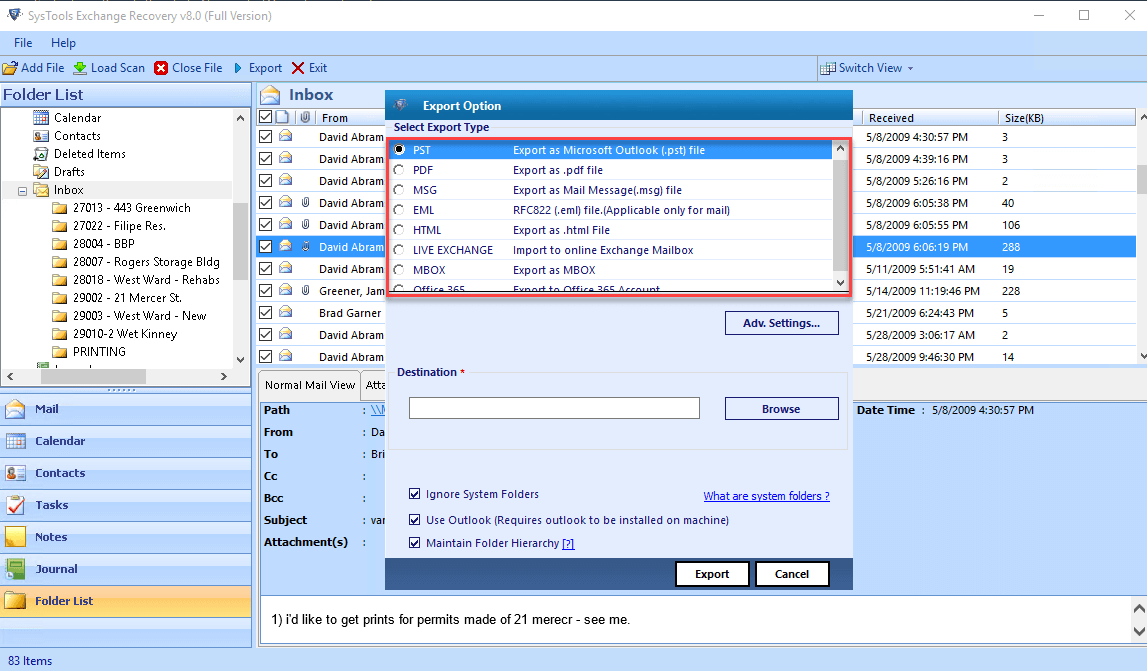
While performing Exchange 2019, 2016, 2013, 2010, 2007, 2003 Mailbox Recovery, the Software provides users an option to save Microsoft Exchange EDB file recovered data into MBOX, PST, EML, MSG formats. Therefore, a user can choose any of these file formats to save Emails and access it any of the supporting email application on any operating system.
Save Data in Document Formats
In order to export recovered offline EDB files, the Exchange Recovery Tool provides multiple file types. Apart from EML, MSG, Outlook Data File, the Software provides an option to export recovered Microsoft Exchange Database to HTML & PDF file format also. All resultant file formats are compatible with their respective applications.
Dual Scan Mode To Repair Mailbox
To Recover Exchange 2019, 2016 Mailbox Data, the tool offers two scanning modes based on the level of corruption. One is Quick Scan Mode, which is used whenever there is minimal corruption. However, Exchange Database is corrupted badly, an Advance scan mode is used. In addition, there is no EDB file size limitation in the tool. One can easily recover any size EDB file without any restriction.
Restore Data From Inactive Server
Another important features of this Exchange Mailbox Recovery Software is that it allows users to recover Exchange mailboxes even if Exchange Server is not active or down. Availability of the Exchange Server does not matter at all. However, if a user wants to export data directly to Live Exchange Server 2019, 2016 and all below versions, Exchange Server environment is necessary.
Download Free Demo Version and Test Software Installation
Processor
2.4 GHz is recommended
Memory & Storage
4 GB of RAM is recommended | 100 MB of free hard disk space required
Pre-Requisites
Supported Editions
FAQs
Q: Is Anti-Virus blocking the export process?
Disable Anti-Virus temporarily or whitelist the software in your settings for proper functionality.
Q: Unable to create output in destination?
Avoid using NAS, SAN, or Network drives. Ensure the source file is on the local migration machine to perform successful migration.
Software Download
Release v10.4 | File Size: 59.87 MB
Trial Limitations
Free Exchange EDB Recovery trial version Software Can Only Preview Recovered Data & save only 25 Items/Folder.
Electronic Delivery
The delivery of product is automated. You will receive an email containing both the link to download and the activation key within few minutes.
Feature Difference Between Free Demo and Full Version Software
|
Features |
Free Version |
Full Version |
|---|---|---|
| Add Exchange Mailbox EDB and STM Files |
|
|
| Windows 11 & All Other Previous Versions Compatible |
|
|
| Dual Scanning Mode (Quick & Advanced) |
|
|
| Preview Exchange Emails with Attachments |
|
|
| Recover & Restore Exchange Database Items |
|
|
| Split Large Size Data File |
|
|
| Save Recovered Data in PST, EML, PDF, MBOX, MSG, HTML, Office 365 & Live Exchange |
|
|
| Cost | Free | $299 |
Frequently Asked Questions
What Customers Are Saying