How to Directly Open | Import EML to Office 365 Account?


Trying to move EML files in Microsoft Office 365 account, but don’t know how to start? An EML File is a single email that is created from multiple email clients such as Windows Live Mail, Thunderbird, or Outlook Express. On the other hand, Microsoft Office 365 offers multiple features with advanced security. In today’s time, many organizations shift to cloud-based solutions. Moving to Microsoft gives users centralized access without depending on other email clients. If you are still searching for the right method to open & import EML to Office 365? Then you have come to the right path. Users don’t need to search anymore!
In this blog, users get to know easy methods to import EML files into Office 365 without facing any technical hassles. This article presents no-cost & professional technique to directly migrate EML files to Office 365 in bulk. So, what are you waiting for? Let’s continue with the direct method to import EML files into Microsoft Office 365.
Why Import EML to Office 365? – Top Reasons
Before jumping into any solution to move EML files into Office 365, users should first know the main reasons to import EML to Office 365.
- EML files are single files that are saved as scattered emails. Once they are imported into Microsoft 365, users can easily access all emails in one mailbox from any device.
- Microsoft Office 365 offers built-in redundancy, encryption, & disaster recovery. It also minimizes risk of data loss.
- Users also move EML files into Microsoft Office 365, because emails can be easily preserved & accessible in Microsoft 365 environment.
- Office 365 also offers advanced search, filter & AI powered filter features. Anybody can easily access emails in O365 compared to browsing EML files.
- Imported EML emails also used in Outlook, Teams, OneDrive, & other Microsoft 365 apps. This feature improves workflow & collaboration.
How to Freely Open EML Files in Microsoft Office 365?
This basic method helps users to open EML files in Office 365 by using Microsoft Outlook. The desktop Outlook is also linked with Microsoft Office 365.
- Install & configure Outlook with the same Office 365 email/password.
- Locate EML files in File Explorer.
- Drag & drop EML files into Outlook folder.
- Once synced, these emails are shown in your Office 365 mailbox.
Limitations of the Free Method
- Not suitable to migrate EML to Office 365 in bulk.
- Importing large EML files into Office 365 takes time.
- Users get broken formatting & missing attachments.
- They require Outlook desktop setup.
- Technical knowledge about Outlook & EML.
- Need Outlook.com/Microsoft 365 login.
Professional Solution to Import EML to Office 365 Account
If users don’t want formatting loss & bulk migration, then try EML to Office 365 Migration Tool. This application helps users to import EML files into Office 365 in batches without any data size limitations. Both technical and non-technical users can use this application without any technical expertise.
This tool provides safe conversion. It preserves email metadata during migration. It also eliminates manual efforts. Users get 100% safe migration from EML to Office 365. This tool provides complete safety & reduces risk of email corruption. Unlike the manual method, this fast solution easily migrates EML files into Office 365 accounts. No need for any additional application to import EML files into Office 365. Download a free trial edition today.
Steps to Move | Open EML Files into Microsoft Office 365
- Download EML to Office 365 Converter Tool.
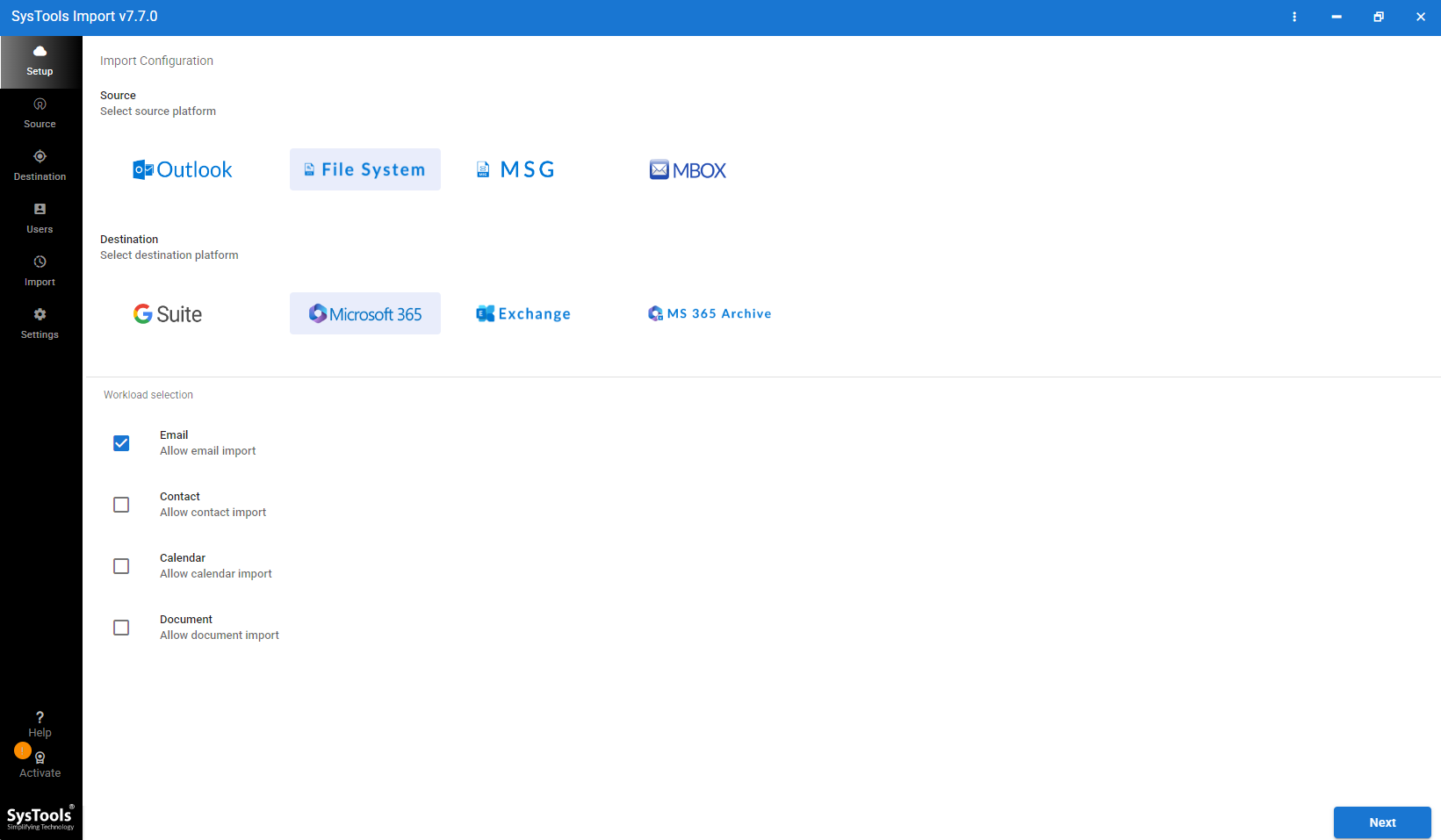
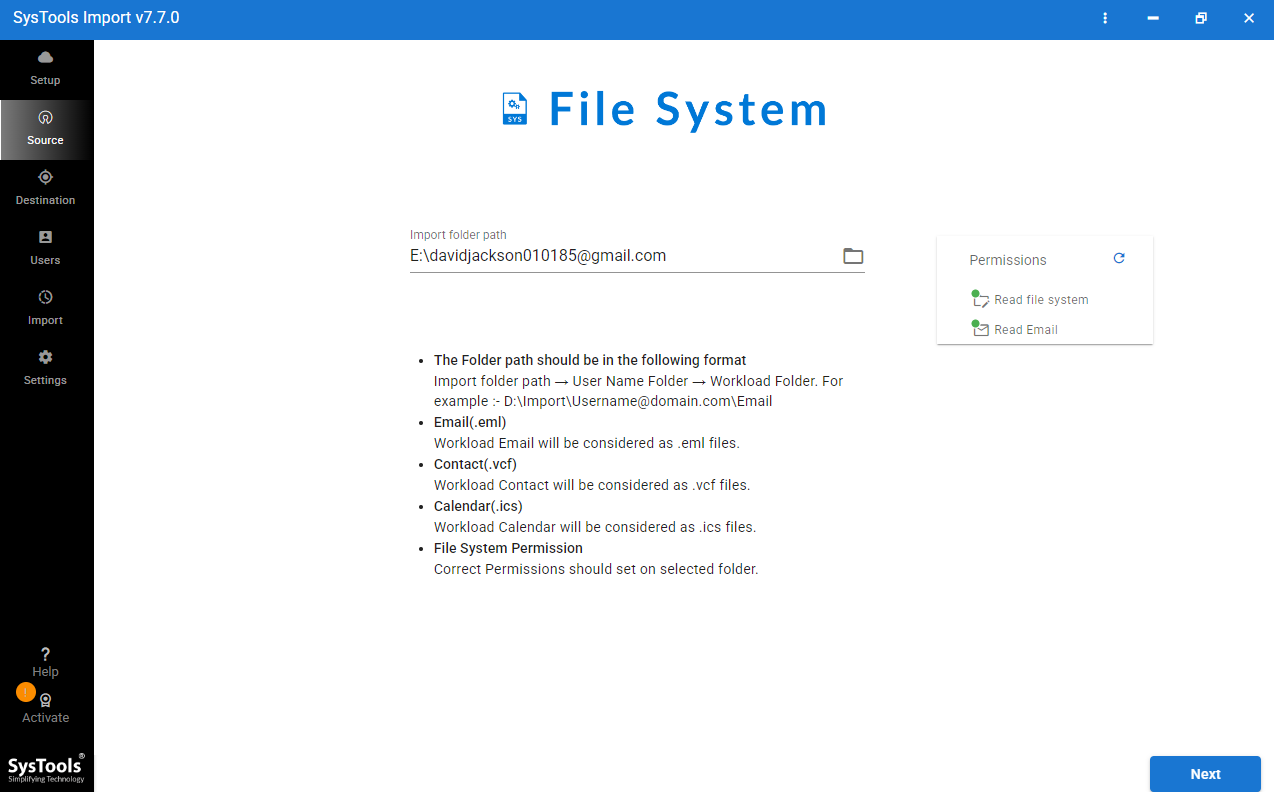
- Once downloaded, click on “file system” and select “Source.”
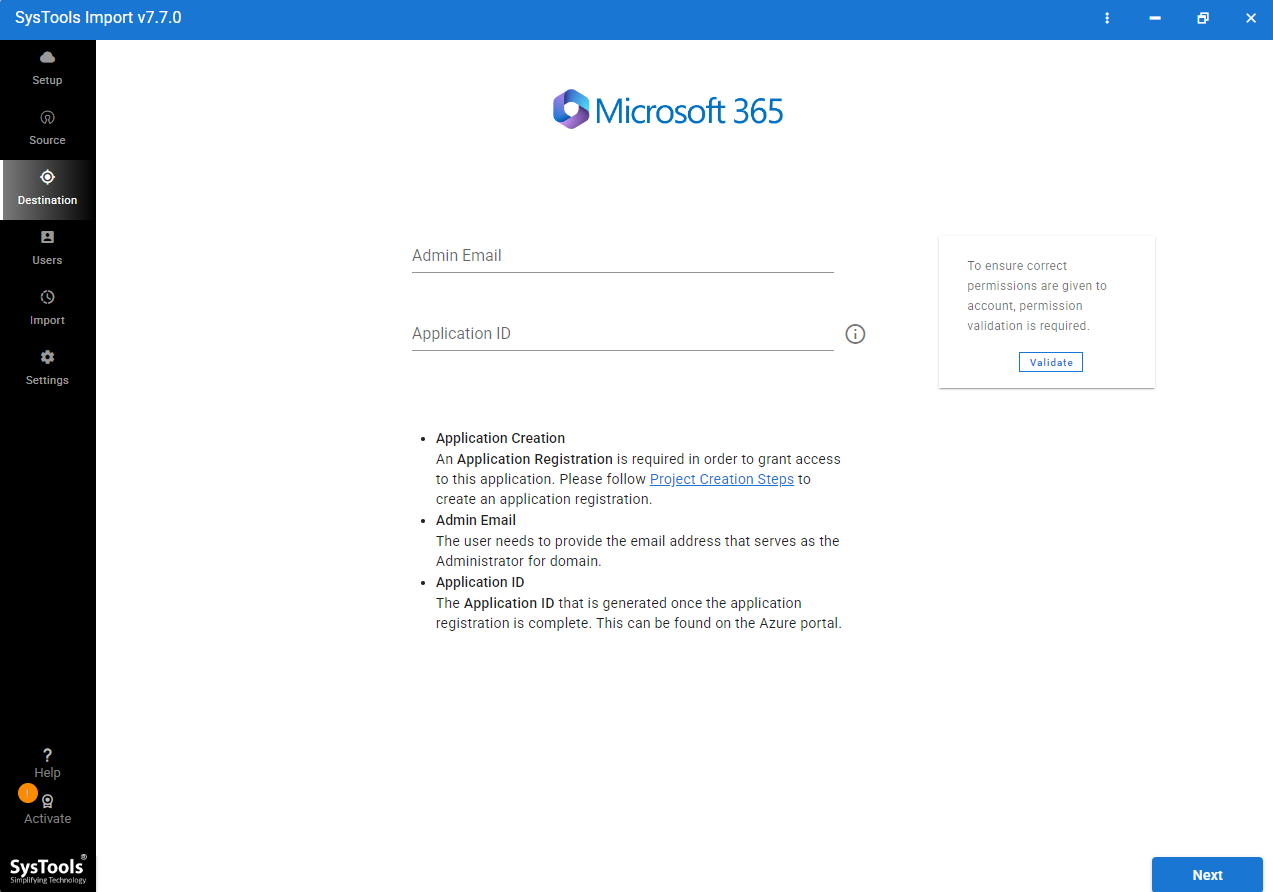
- Now Enter Office 365 credentials and validate it.
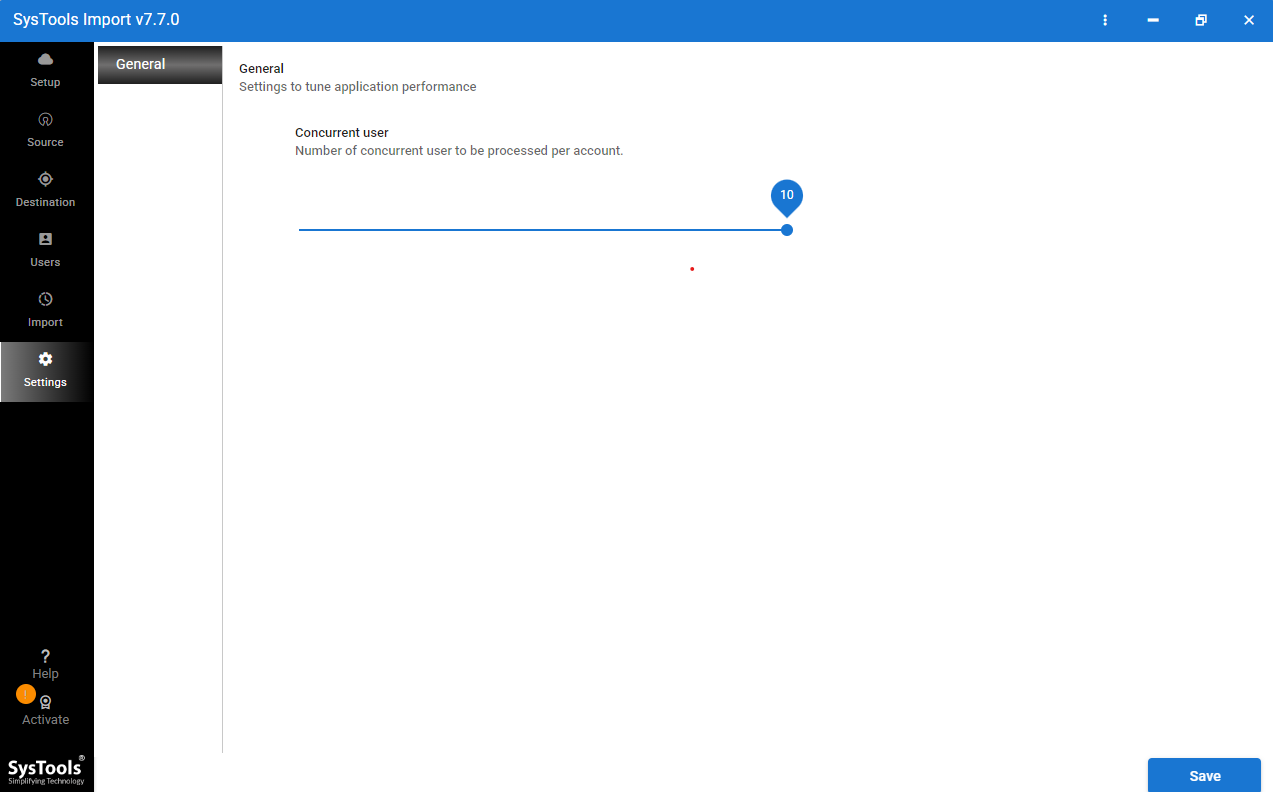
- Select Fetch users and concurrent settings based on your requirement.
- Press on Start Import to start migrate EML to Microsoft 365 account.
Satisfactory Features in Expert Solution
- Bulk EML File Import: It provides users the option to import bulk of EML files into Office 365 without any data size limitation.
- Preserve Folder Hierarchy: This tool maintains original folder structure & email organization during migration process. No data will be lost or altered during & after migration.
- Quick GUI: This tool has a simple & easy graphical user interface. Both IT people and non-IT people can use this application without worrying about technical knowledge.
- Direct Migration: No third-party & intermediate steps required to move EML files in an Office 365 account. This tool connects securely to Microsoft 365 & moves every selected EML file into Office 365.
- Selective EML to O365 Migration: Users can choose required EML files that they want to access in Microsoft Office 365. There are users that don’t need to upload every EML file into Office 365.
Epilogue
In this blog, readers will learn about cost-free & direct methods to import EML to Office 365. Free methods only require users’ time & technical knowledge. On the other hand, direct method just required software installation & Office 365 credentials. Expert solution to move thousands of EML files into Office 365 account within minutes without creating any technical hassles. Choose any method that fits with your requirements regarding EML files to Office 365 migration.