Office 365 Export Tool Box

(Average Rating 4.8 Based on 2172 Reviews)

Screens

Guide

FreeViewer
Office 365 Export Tool

Download & Save Office 365 Mailbox Data to Popular Formats in Bulk

Download Now
Safe & Secure

Purchase Now
30 Days Money Back*

  • Office 365 Export Mailbox to PST, MBOX, MSG, EML, & PDF Formats Without Data Loss
  • Save Organization-wide Emails, Contacts, Calendar, and Document Files
  • Backup All Office 365 Shared Mailboxes & In-Place Archive Mailboxes to Local Storage
  • Software With Standalone Category and Each Filter of Available Workload Date
  • Authenticate Admin Credentials Securely Prior to Exporting
  • Maintain the Current Read/Unread State of Supported Email Items
  • Choose your Custom Destination to Save the Output Microsoft 365 Data
  • Use File Naming Options to Save Files According to your Preference
  • Split up Supported Resultant Data on a Predetermined Limit
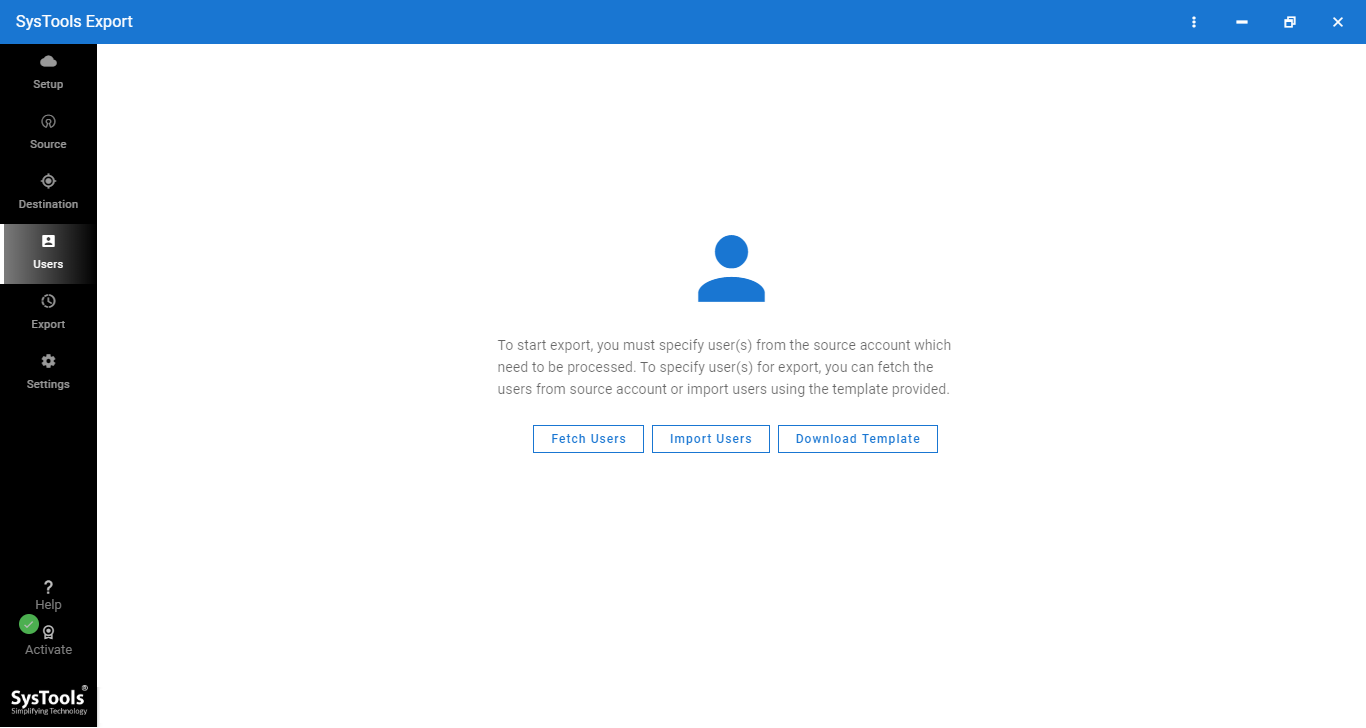
  • Creating Users with Fetch, CSV Import, or Download template
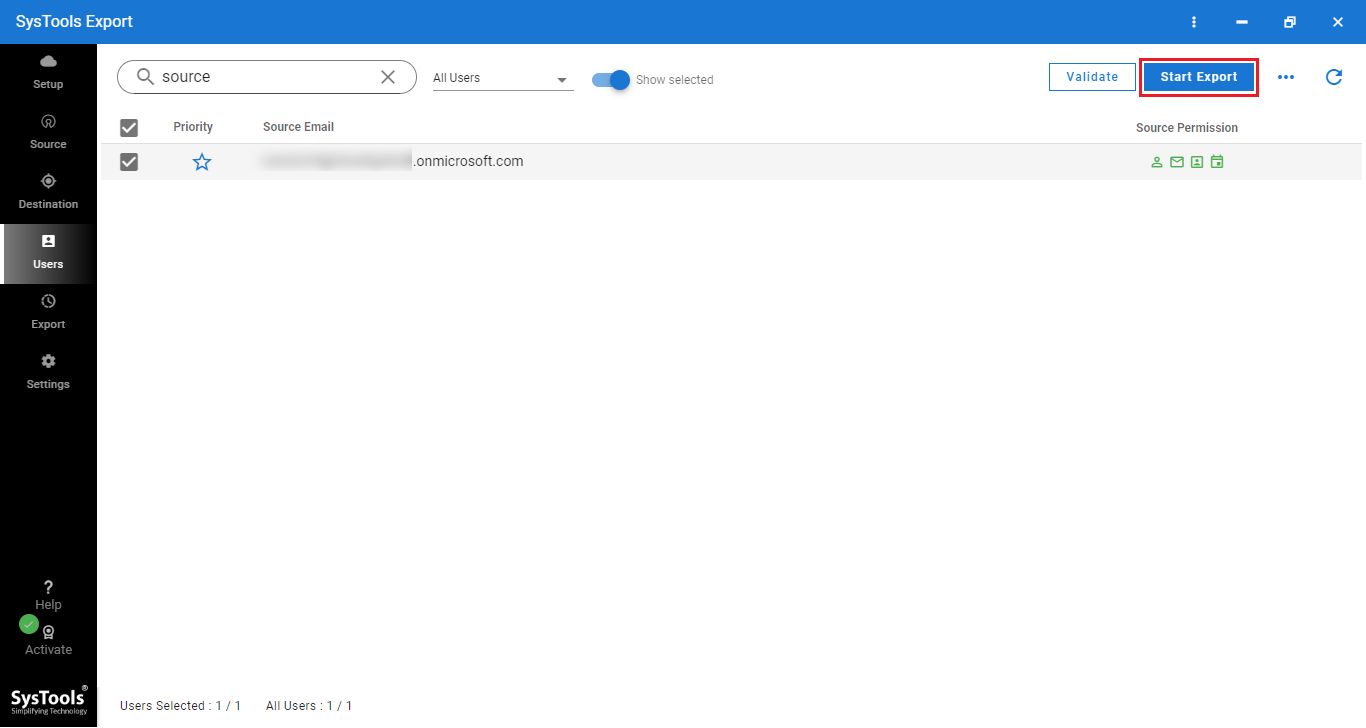
  • Review Stage, Select, and Validate Office 365 User List to Export
  • Retry, Resume and Delta Export for Supported Office 365 Items
  • Office 365 Export Tool Quickly Generates Summary and Detailed Reports
  • Compatible with all Microsoft 365/Office 365 Plans and Windows 10/11 (64-bit) Systems
🔐

The Office 365 Export Tool free trial edition allows to download 2 users O365 mailbox for free of cost.


FreeViewer Awards & Reviews

A Professional Solution to Export Office 365 Mailbox Data

CNET award

"Based on admin-level access, Office 365 Export tool is a revolutionary approach to export emails, contacts, calendars from multiple Microsoft 365 accounts."

informer

"Rated 5 stars on informer, Microsoft 365 Export Tool is the most popular application to Download Emails, Contacts, Calendars from multiple Office 365 accounts in one go."

6-Step FreeViewer Office 365 Data Export Process

Export Microsoft 365 Data to Popular Formats

1

Fill Admin Credentials

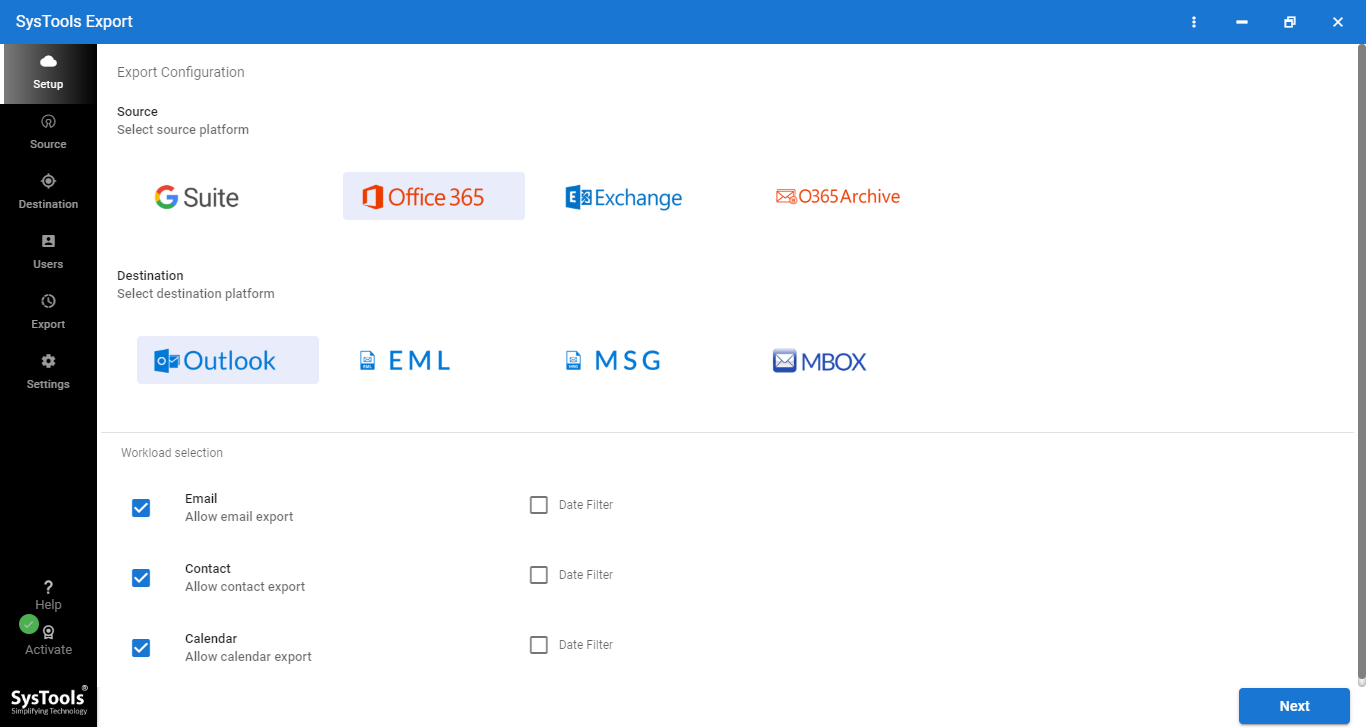
Download Office 365 Export Tool on Windows OS and Enter Admin Credentials

2

Multiple Export Options

Get Numerous Export Options: PST, MSG, EML, PDF & Categories: Mails, Contacts, Calendars, Tasks

3

Export Process Completed

Finally, the Office 365 Mailbox Export Process is Completed and Download Conversion Report for Future Use

4

Final Path Location

Pick a Location to Deposit M365 User Data.

5

Mapping

Create Mapping and Add Users

6

Start Export

Validate & Start Export to Start the Process.

Office 365 Export Tool - Descriptive Features

Microsoft 365 Exporter Features for Quick O365 Data Migration

admin password authentication

Secure Admin Credential Validation

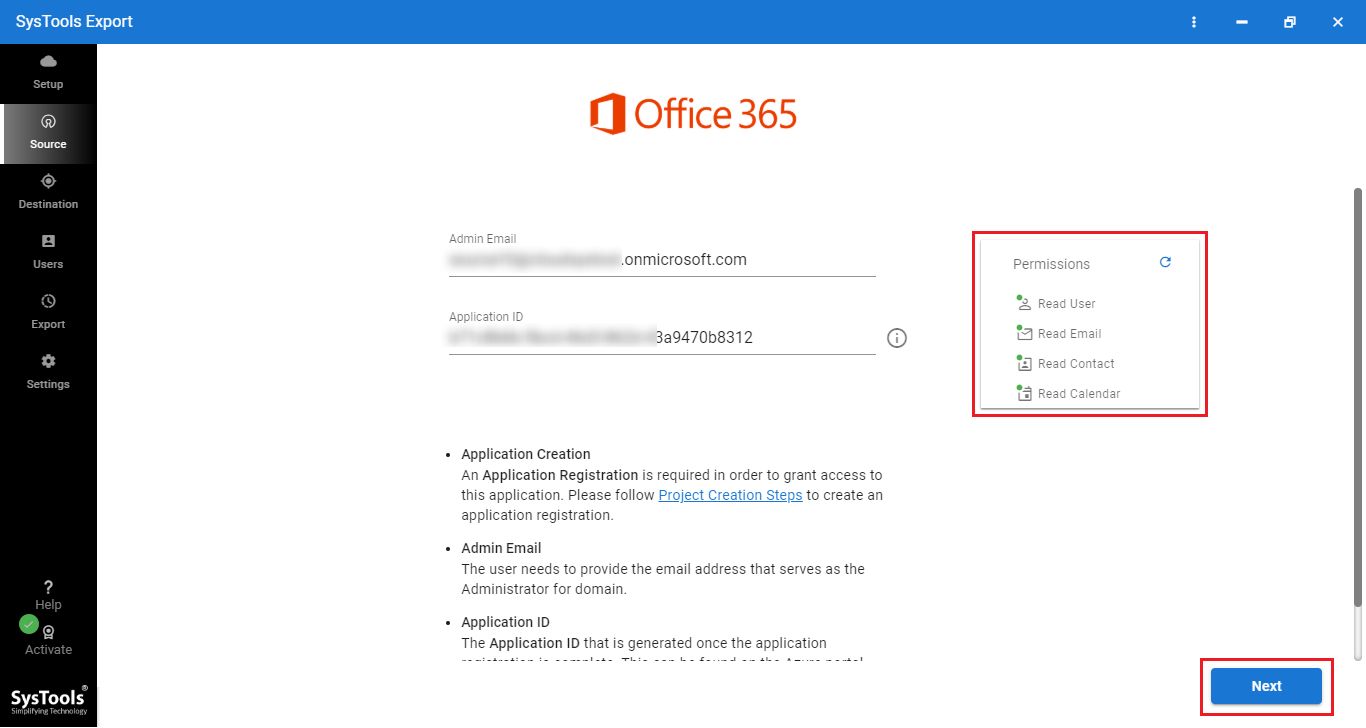
The Office 365 Export Tool relies on administrator-level credentials with an application ID created ahead of time. It is done in order to authenticate the export process. Such validation helps organizations guarantee that only authorized personnel can initiate access to Microsoft 365 mailbox. Thereby, restricts any chances of unwanted data exposure during export.

keep read/unread status

Maintains Original Email Read/Unread Status

The Office 365 Exporter retains the previous Read/Unread status of email items while exporting. When you import those emails back to Microsoft 365 mailboxes, they retain their previous post completion status. So, that administrators can easily keep data in sync with the respective source Microsoft 365 tenant.

compatible with all O365 A to Z plan

Microsoft 365 Subscription Plan Compatibility

The O 365 is compatible with all Microsoft 365 Business and Enterprise subscription plans. It can work for organizations with any licensing environment. And it support Microsoft 365 A1, A2, A3, A5, F1 and F3 plans as mailboxes exportation around more educational, frontline business and enterprise subscriptions.

all Windows OS version compatible

Compatible with Windows OS

The Office 365 Export Tool works on both Windows 10 & 11 environment. Follow easy steps to download & run the software. It allows IT teams to run Microsoft 365 data without modifying their existing Windows deployment.

selective path

Choose a Custom Destination for Exported Data

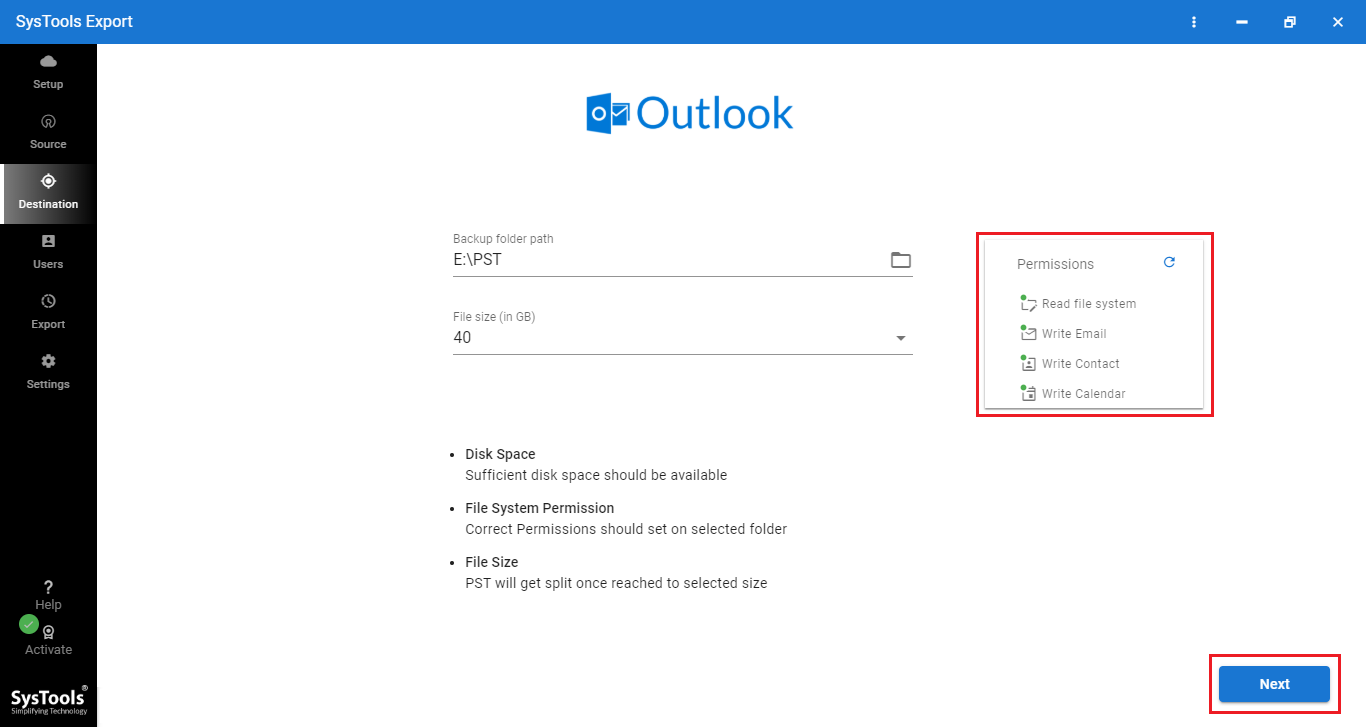
Select the location where you want exported Office 365 data to be saved. The new Office 365 Export Tool gives users an option to provide any folder path to save their emails, contacts, calendars, documents and other mailbox items. This allows you to save email data from Office 365 to desktop or any storage location available.

advanced file naming options

Flexible File Naming Options

Create a well-structured copy of exported Office 365 data with multiple file naming choices. The tool offers various naming styles such as AutoIncrement, Subject, Subject_From, Subject_Date (DD-MM-YYYY), Subject_From_Date(Date (DD-MM-YYYY)) and more. When you select a name, go for what works best for your data and identification needs.

user list selection menu

Select and Manage Microsoft 365 Users for Export

The user selection screen shows a list of all Microsoft 365 accounts discovered via the app which is sorted alphabetically. On the other hand, administrators can compare existing accounts and choose required users via check boxes while they can mark priority accounts using star option. After reviewing and verifying the users in question, we can quickly start the export process from the selection screen.

auto export report generation

Smart Export Reports

After every process, the software generates two types of reports automatically. It is your CSV based and summarizes the total number of items processed per workload broken down by successful and failed exports. It generates a report with item counts per user, and workload specific details which allows an administrator to validate the export results and troubleshoot any issues.

date-range

Selective Date-Based Export

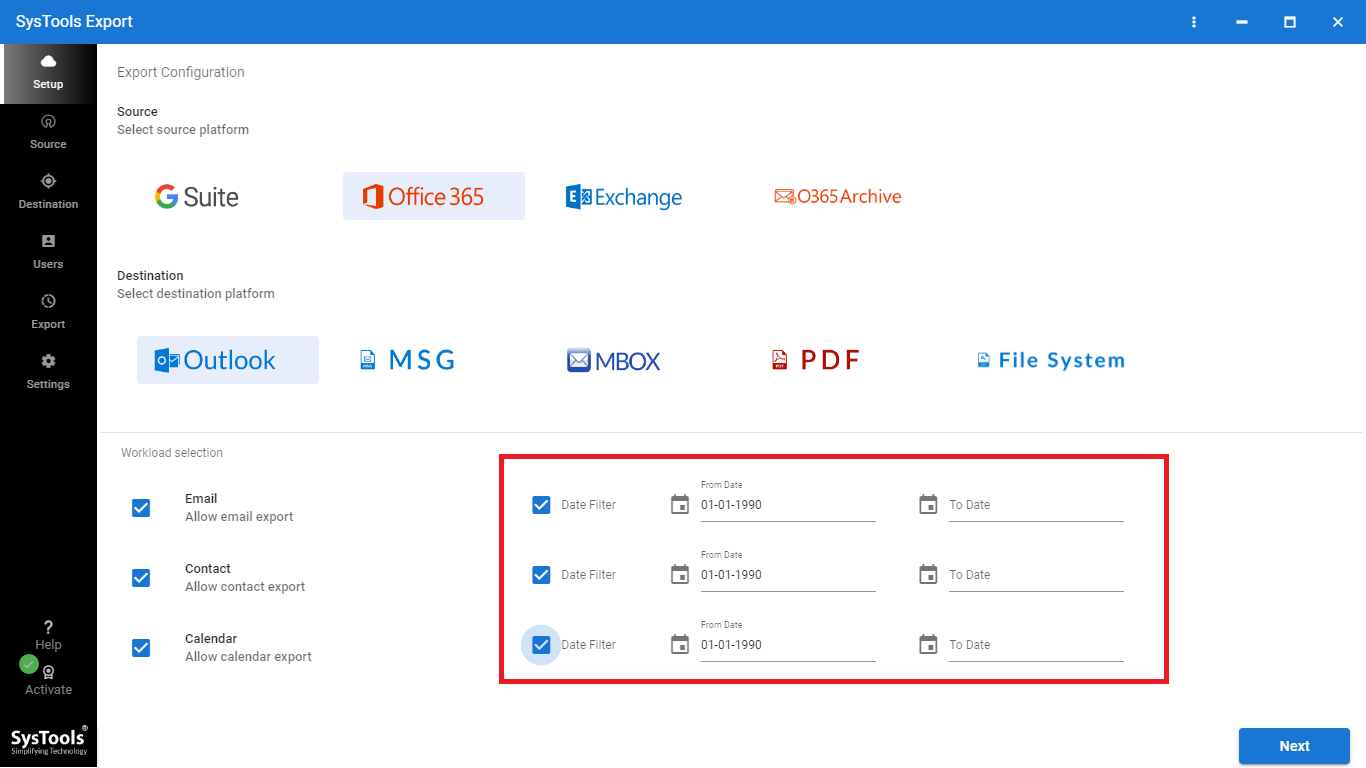
Define a date range to export required Office 365 mailbox data. Instead of processing message items, administrators can use start and end dates to selectively export emails and other supported mailbox items. This essentially helps eliminate useless data, reduce the time and ensures the resulting data is more relevant and within reach.

resume

Resume & New Data Export

The Office 365 export tool enables to continue export process after a pause without initiating the whole operation again. Delta Export option of it helps to pull only the latest mailbox data that has been added or changed after running the last export. This reduces irrelevant processing, and saves time and lowers repeated requests to the Microsoft 365 environment.

FreeViewer Office 365 Export Tool - Specifications

Safe O365 Export Tool For Secure Mailbox Data - Download Software

Processor

Processor

Minimum 8 core Processor

Memory & Storage

Memory & Storage

8 GB of RAM (16 GB is Recommended) | 500 MB of free hard disk space required for tool, additional 20 GB for user data

Deployment Prerequisites Deployment Prerequisites

Supported Editions

Supported Editions

FAQs

Q: Is Anti-Virus blocking the export process?

Disable Anti-Virus temporarily or whitelist the software in your settings for proper functionality.

Q: Unable to create output in destination?

Avoid using NAS, SAN, or Network drives. Ensure the source file is on the local migration machine to perform successful migration.

Software Download

Release v7.2.0 | File Size: 162 MB

Download Now

Trial Limitations

With the demo of Office 365 exporter, you can export two Office 365 user mailboxes securely.


Electronic Delivery

Electronic Delivery

The delivery of product is automated. You will receive an email containing both the link to download and the activation key within few minutes.

Overview of Office 365 Exporter Features – Demo vs Full

Export Microsoft 365 Data Using Software Full Version

Features

Demo Version

Full Version

Supports Multiple Office 365 Mailboxes

Backup Office 365 Archive Data

Supports Office 365 Email, Contacts, Calendars, Tasks

Compatible With Windows 11 & 10 Operating System

Option to Apply Date Filter

Pause & Resume Feature

Download Office 365 Emails in Popular Format 2 User Accounts Unlimited User Accounts
Cost DEMO $10 /Each User

Frequently Asked Questions

Listed Commonly Asked Questions and Answers

Customers Reviews & Feedback

Get User Reviews on Office 365 Export Tool

4.8
2172 Ratings
5 Star 87.7%
4 Star 10.3%
3 Star 1.4%
2 Star 0.4%
1 Star 0.2%