How to Convert XML to JSON Format? Complete Guide


This write-up will explain the best ways to convert XML to JSON format easily using copy-paste, coding language, and an automated solution. We have mentioned all the information for a smooth process without losing any tags or attributes.
XML to JSON conversion is the process of transforming structured, tag-based XML data into a lightweight, simple JSON format for easy reading and sharing data. Converting XML to JSON ensures better compatibility, faster processing, and handling large data without losing the original structure.
Users prefer JSON format over XML because it’s simple, faster, and more practical for modern applications. It’s a lightweight and reduces file size, which improves data transfer speed and performance. Also, JSON can seamlessly work with JavaScript and is widely supported by APIs, web apps, and databases.
How to Convert XML to JSON Format Manually?
Whenever it comes to the conversion of structured data files, it becomes a tedious task. Maintaining all tags and attributes is not easy work. We have suggested all possible methods to transform XML to JSON format.
- Using Copy-Paste Data
- Using Coding Language (Python, Java, & JS)
- With Automated XML to JSON Converter
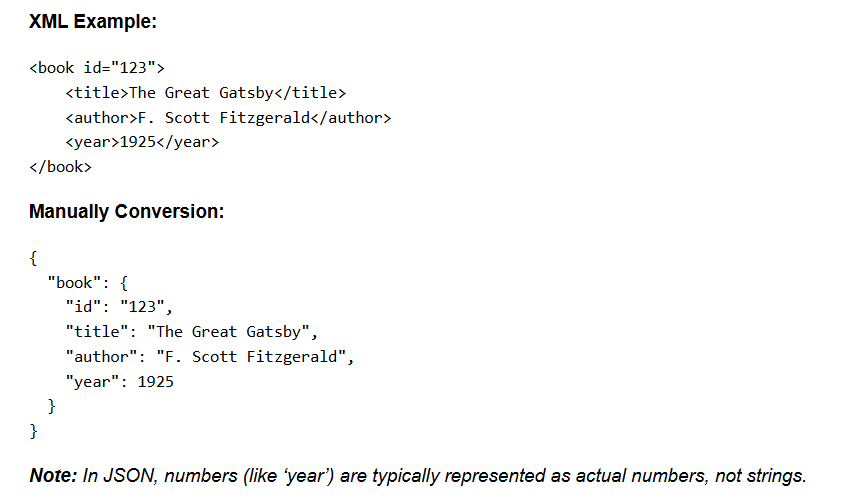
Method 1: Transform XML to JSON by Copy-Paste Data
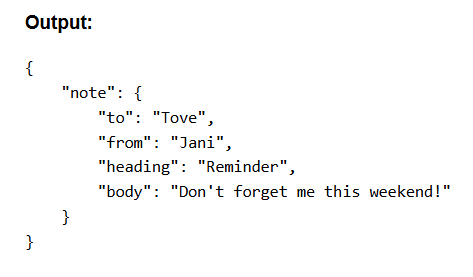
This method is best for small and simply structured XML files; you just have to modify XML elements, attributes, and text into objects, arrays, and values. Like:
Method 2: Using Coding Language (Technical Users)
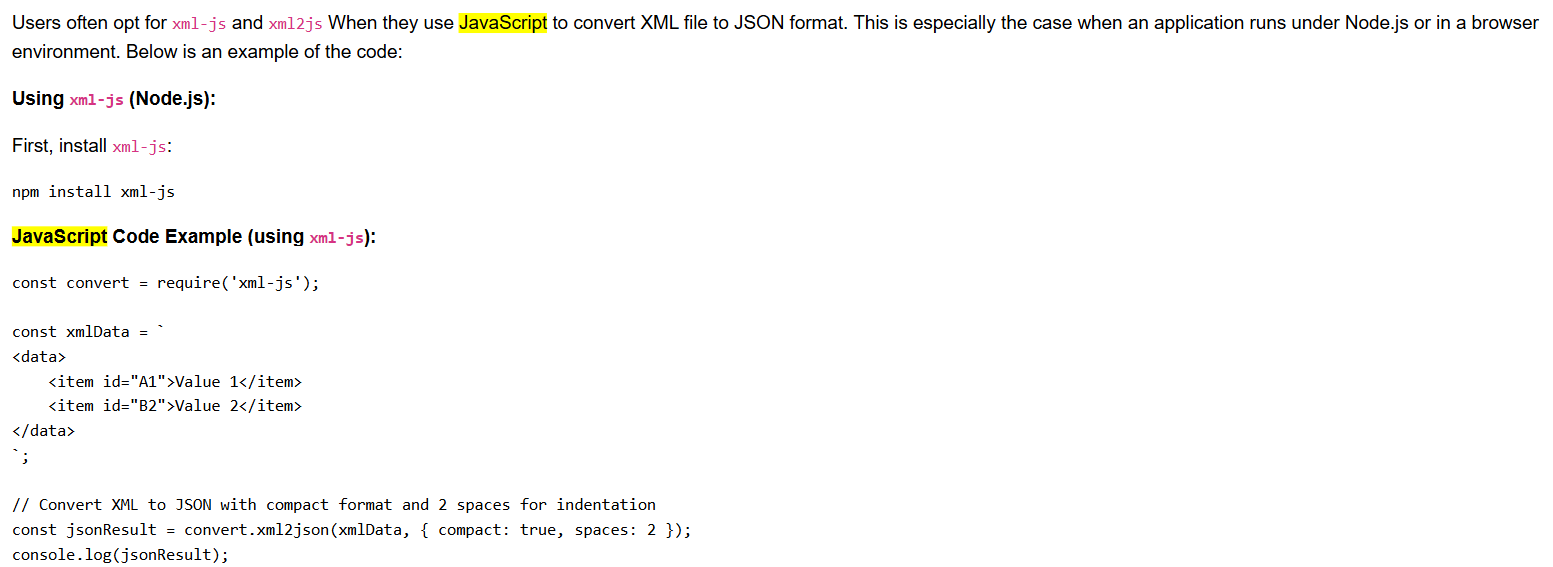
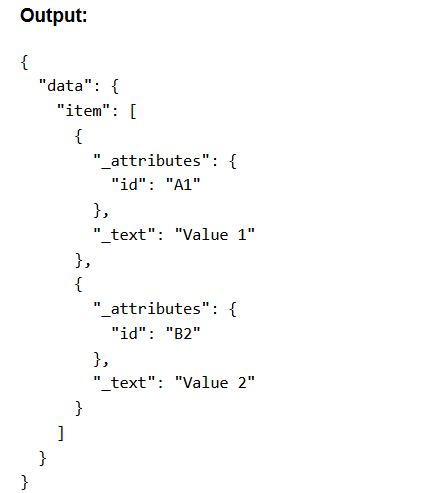
If you have technical knowledge about coding languages like Python, Java, and JavaScript, then you should follow this method to convert XML to JSON.
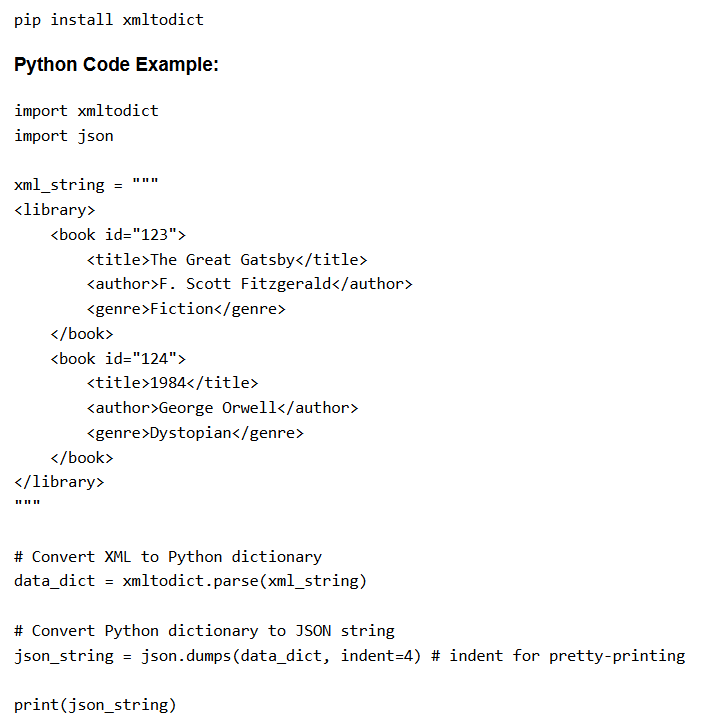
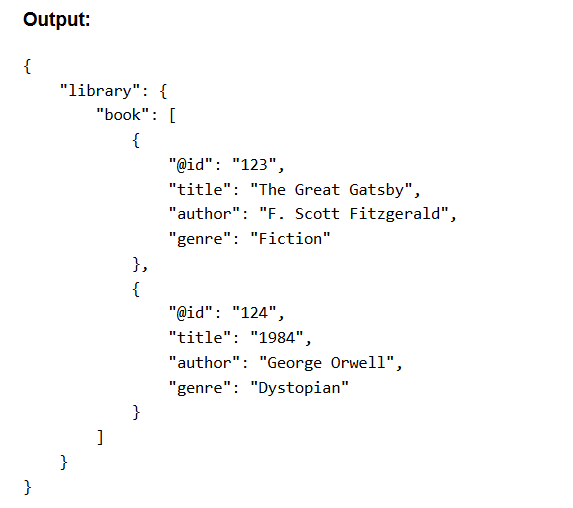
Python
This language has a complete array of libraries to handle XML and JSON. And xmltodict is the most widely used, which makes the process straightforward.
Firstly, install xmltodict:
JAVA
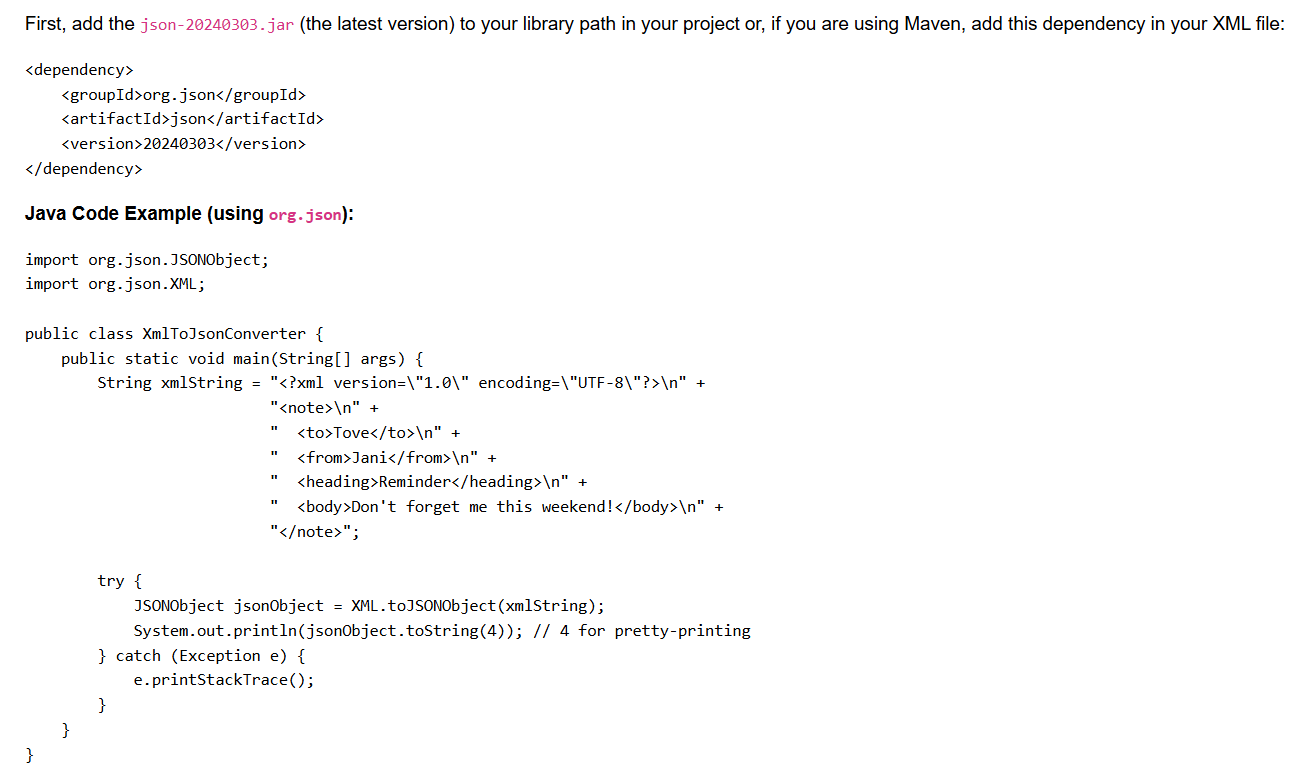
Libraries like org.json: (json-java) and jacksonare mainly used in JAVA to convert XML to JSON format.
Using org.json:
JavaScript
Method 3: Automated XML to JSON Converter
This software is specially designed to convert nested, invalid, complex structures, and multiple XML files into 15+ different document and database formats like JSON, HTML, SQLite, SQL Script, TXT, PDF, XLSX, XLS, CSV, etc. It preserves all elements and structure during the XML to JSON conversion.
How to Convert XML to JSON Format? Tool’s Steps
- Start the software after installation.

- Use the “Add Files” and “Add Folders” buttons to import XML files, and continue with the “Next” icon.

- All chosen files will appear, and select the “Next” icon to continue.

- After that, choose “JSON” from “Export Option” and select the destination using the “Change” icon.

- Finally, choose the “Export” button to convert XML to JSON format.
- A confirmation will appear; choose the “OK” button.

Also Read: How to Convert XML to HTML Format?
What Will You Get with the XML to JSON Converter Tool?
- This is the best software for handling large, deeply nested, and complex structured XML files.
- It can easily convert multiple XML files into JSON format at once without doing repetitive task.
- Also, it is compatible with all XML types exported from the database or application.
- It provides completely safe and secure results and converts files without an internet connection to convert XML to JSON.
- This XML to JSON converter preserves tags, attributes, text, links, and other data during the live process.
Frequently Asked Question
Ques 1: Does the manual method support nested XML files?
Ans: Yes, this software is compatible with deeply nested, complex structure, invalid (missing tags) and large XML files smoothly.Ques 2: Does online converters are safe for uploading company’s data?
Ans: No, if your file is containing your companies’ data, then don’t go for online converters. Because these tools are not safe and authorize. And also, they can’t handle nested and large data files.Ques 3: I have 5 large data files; can I convert them?
Ans: Yes, you can easily convert large and multiple files at the same time.Ques 4: Does this XML to JSON converter allows to divide file into 10 MB files?
Ans: The XML to JSON converter doesn’t split files, you can use the XML Splitter to divide by size, and records.
Final Words
This blog has explained the best ways to convert XML to JSON using manual techniques for a few and simple files, and for those who have technical knowledge. Also, we have suggested an automated solution as well for deeply nested complex structure files, which can handle large files as well. You can choose any method according to your requirements. You can use the demo edition as well to try how it works. Contact us through chat support.