Advanced Features of Mac MBOX to PDF Converter

With Mac MBOX Files to PDF Converter, one can export MBOX emails along with attachments into PDF format. The Software is designed with a user-friendly interface and integrated with various features which makes easy for the user to implement the MBOX files to PDF conversion on Mac operating system.

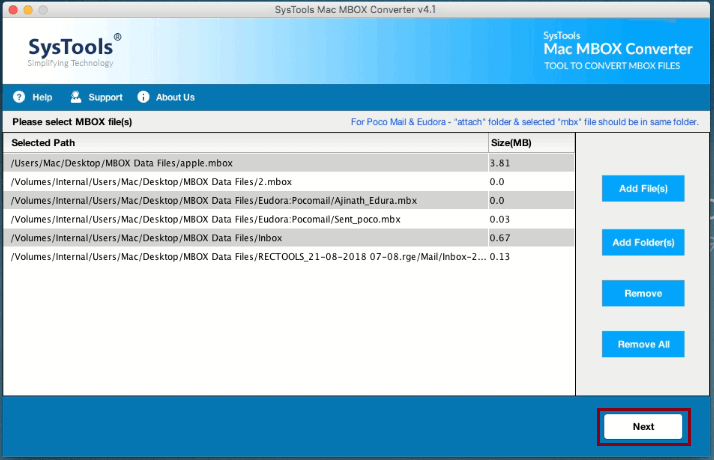
One can easily export various MBOX files into PDF format using the Add Folder option. This option let users convert numerous MBOX files into PDF in just a one go. Additionally, the Mac MBOX Files to PDF Converter Tool also permits the user to convert selective or single MBOX file into PDF via Add File option.

The Software allows the user to convert MBOX files of email clients supported by Mac email clients. One can export MBOX files of email client compatible with Mac OS such as Thunderbird, Opera Mail, Apple Mail, Spicebird, Eudora, Entourage, SeaMonkey, etc.

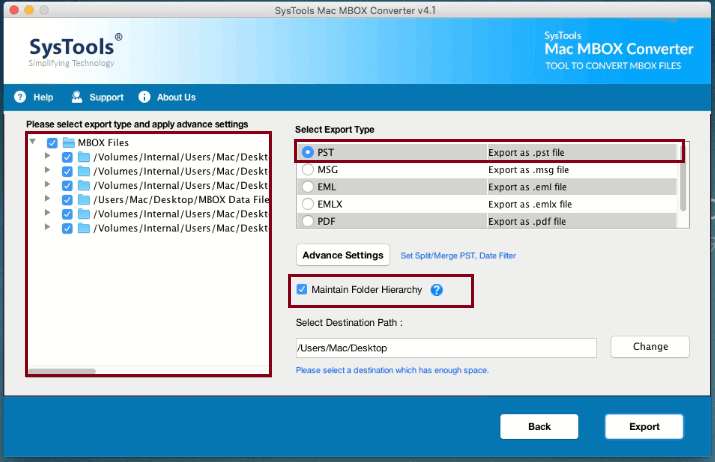
The Mac MBOX to PDF Converter Software is integrated with advanced functionalities which permits the user to alter the resultant PDF setting. It renders option to set the Bates Number, Page Size, Margin, Orientation, etc. directly from the software.

The tool provides multiple file naming convention options to save the resultant PDF file according to the requirements. The tool renders different file naming options such as Subject, Subject+Date(DD-MM-YYYY), etc. The user can select any of the naming option to save the output PDF after MBOX file to PDF conversion.

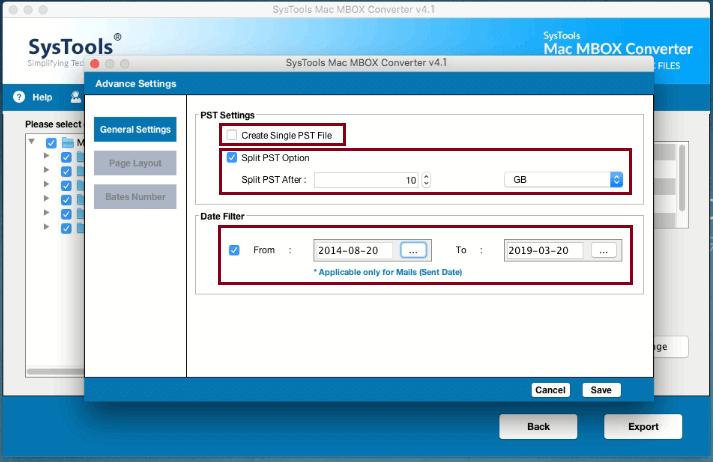
With the Date Filter option provided by Mac MBOX to PDF Converter, the user can convert Mac MBOX files into PDF format by selecting the particular date range. The tool permits the user to choose the desired date range in To and From fields and export Mac MBOX files into PDF as per the date range.
Mac MBOX to PDF Converter Software Specifications
Trial Limitations
Limitations
Trial version of Mac MBOX to PDF Converter lets user transfer 25 emails per folder to required data file format
System Specifications
Hard Disk Space
100 MB of free hard disk space required
RAM
4 GB of RAM (4 GB is recommended)
Processor
Intel® Core™ 2 Duo CPU E4600 @ 2.40GHz 2.39GHz
Application Pre-Requisites
Pre-Requisites
Java development kit 1.8.0_101
Supported Versions

Mac OS X
Mac OS X 10.10 (Yosemite), Mac OS X 10.11 (El Capitan), macOS 10.12 (Sierra), macOS 10.13 (High Sierra)
FAQs


Electronic Delivery


Get an Overview of Software Features – Free vs Full
| Features | Free Version | Full Version |
|---|---|---|
| Add Mac MBOX File(s) | ||
| 6 Formats to Convert Mac MBOX Files | ||
| Advance PDF Settings | ||
| Supports Mac OS X 10.10 & Above | ||
| Apply Date Filter | ||
| Batch Convert MBOX Files to PDF | ||
| Cost | Trial | $49 |
Listed Commonly Asked Questions and Answers
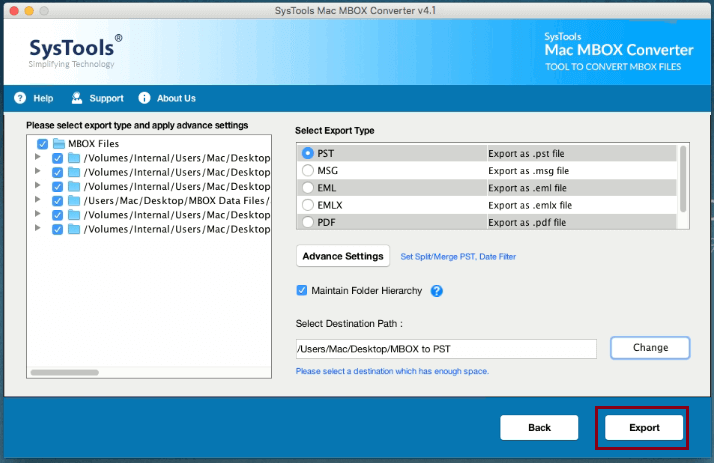
Yes, one can easily convert multiple MBOX files into PDF format in bulk with the help of Add Folder option integrated into MBOX File to PDF Converter.
Yes, with MBOX to PDF Converter, you can easily export MBOX emails into PDF according to a specific date range by date filter option. The user has to select the date range in From and To fields while MBOX Files to PDF conversion.
Why Choose FREEVIEWER?
3M+
Happy Clients
250+
Products
100+
Countries
15+
Years of Experience