Best Thunderbird Import Wizard to Import MBOX to Thunderbird. Migrate MBOX Data Directly to Dedicated Thunderbird Configured Profiles without any manual steps or installation of Thunderbird Add-ons.
FreeViewer Awards & Reviews
“Soft32 gives a 4-star rating to Thunderbird Import Wizard exclusively for its result-oriented and high-performance features. It is a simple yet powerful tool which keeps the data in the original structure of mailboxes and attachments.”
“CNET rates Thunderbird Import Wizard as a 100% safe and import multiple MBOX files into Thunderbird profiles and does not require any technical knowledge.”
Thunderbird Import Tool - Access MBOX Data
Import Multiple MBOX Files into Thunderbird
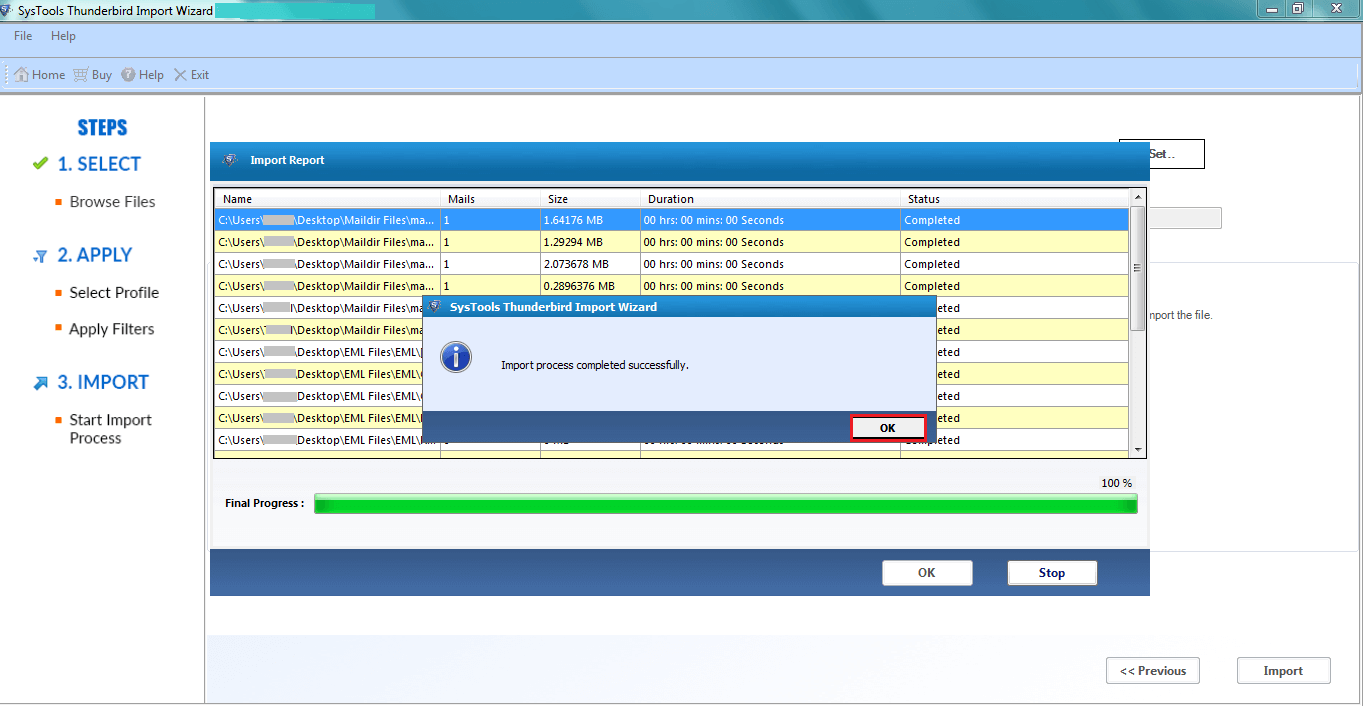
Thunderbird Import Wizard is a best software to import MBOX to Thunderbird in bulk with full data security. It allows users to process multiple mailbox files in one go and imports them right into the Thunderbird profiles. The best part is that it can migrate all your emails, attachments too entirely at once without any manual work. You don't have to worry about it's structure & formatting.
Add MBOX Files/Folders Easily
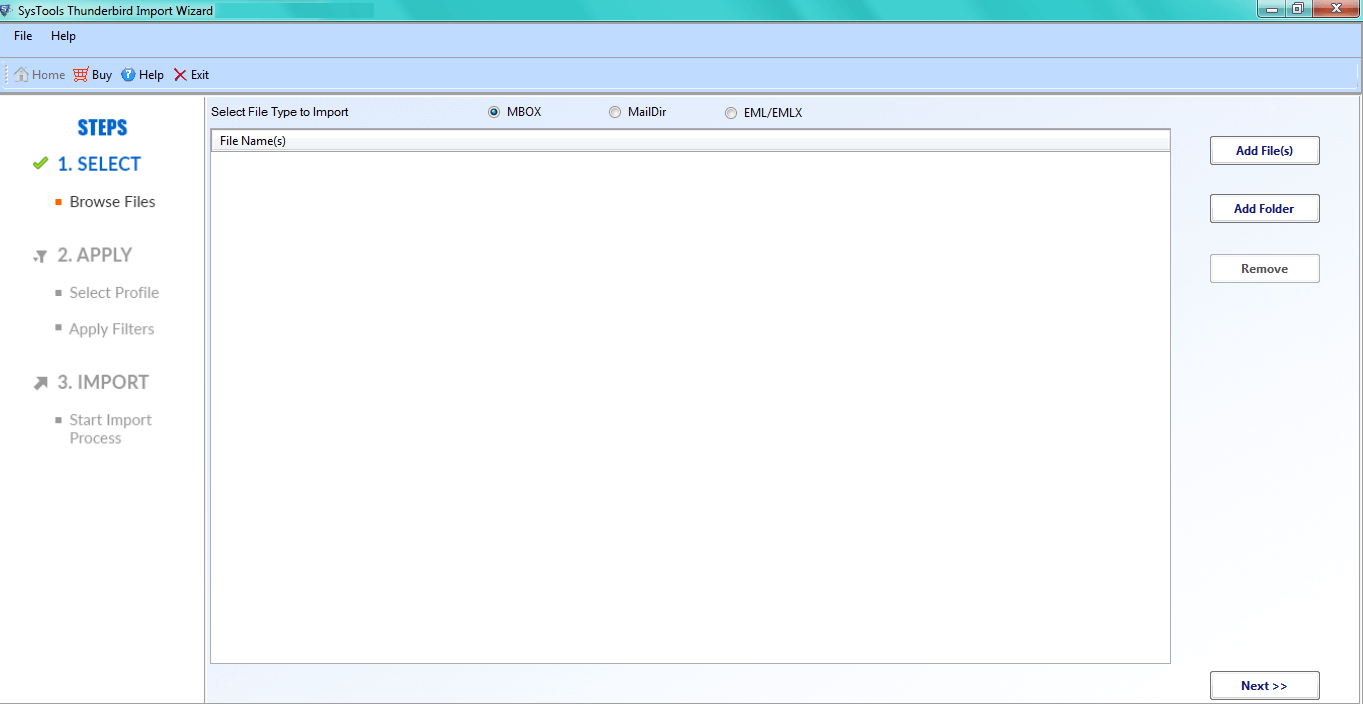
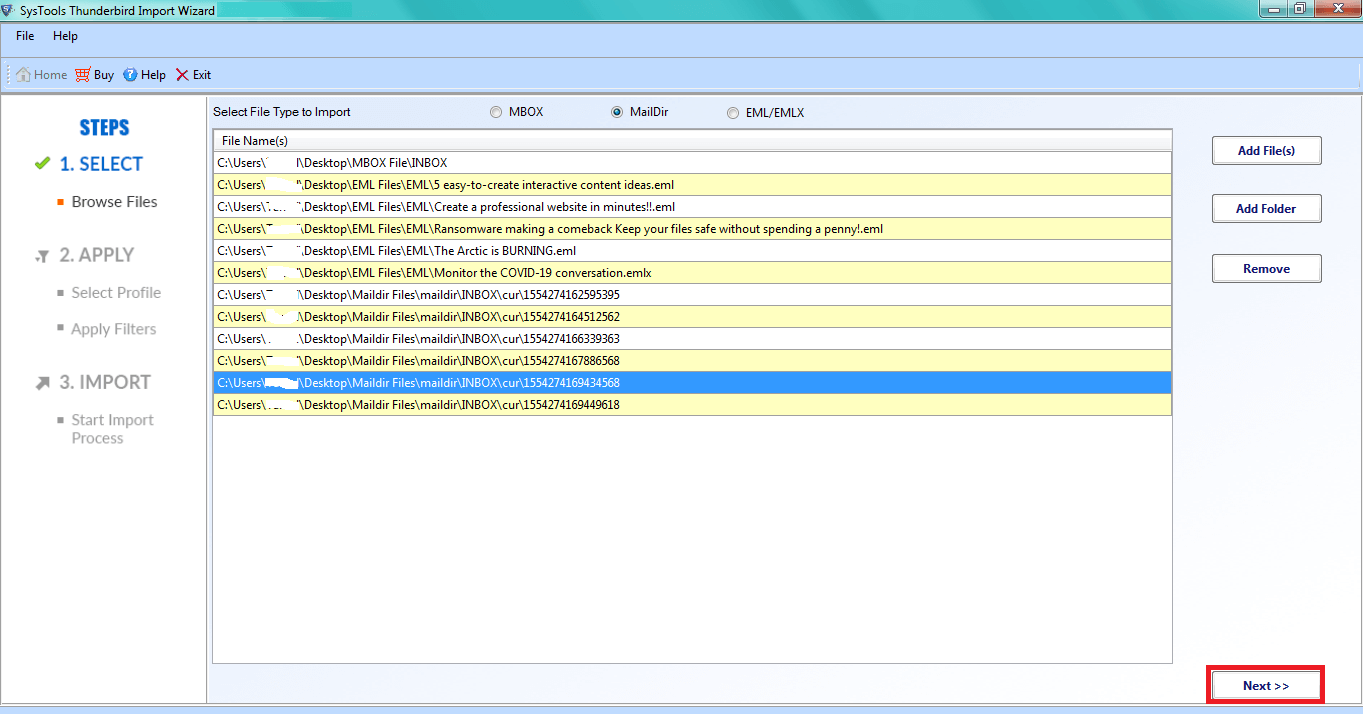
The software provides you two options to the users to view and load MBOX to Thunderbird. Users can select any required option as per convenience.
Import EML/EMLX, Maildir into Thunderbird
The Thunderbird Import Wizard also imports mailboxes in EML, EMLX and Maildir file formats along with MBOX data files. You don't have to use other email clients and import directly into Thunderbird.
Migrate MBOX Files to Configured Thunderbird Profiles
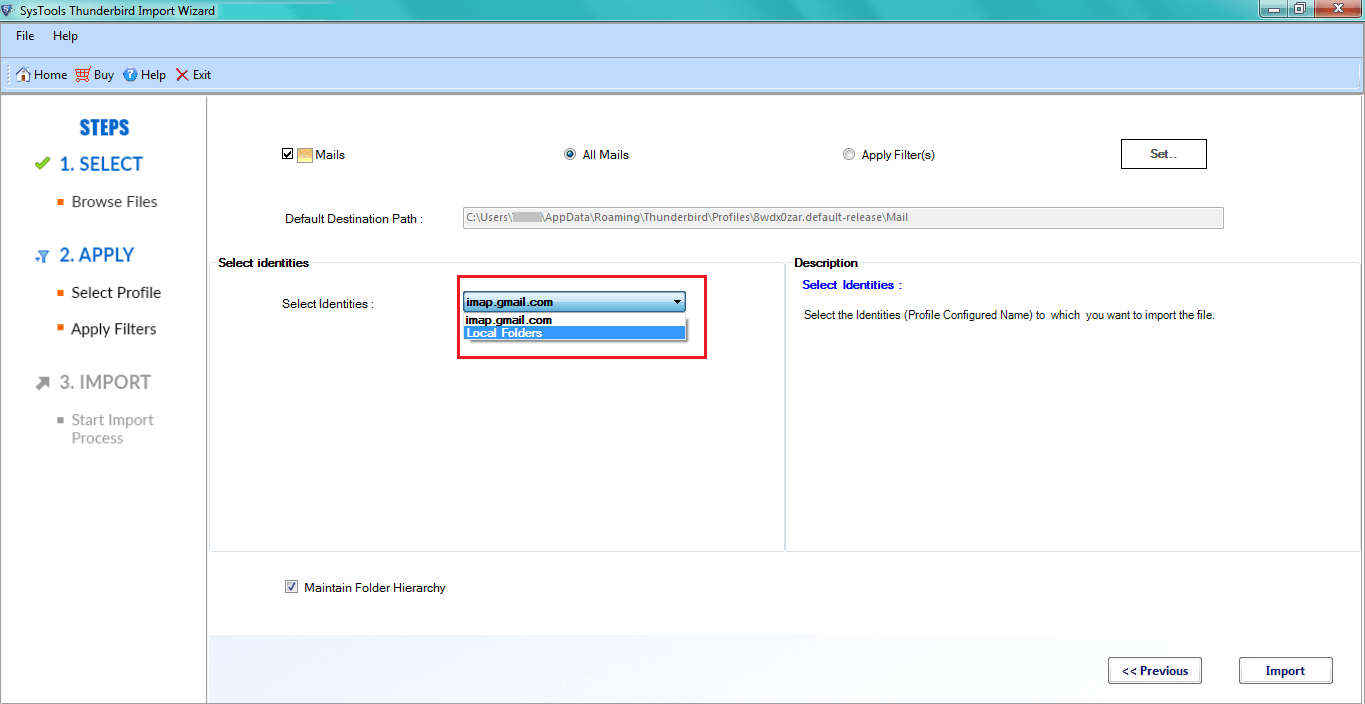
It automatically detects the configured Thunderbird profiles and lets users select their desired destination profile. It also imports MBOX files directly into a default & custom profiles, and Thunderbird Local Folders with proper folder structure as you want.
Import Google Takeout Data to Thunderbird
Google Takeout export their Gmail mailbox data in the MBOX format. Thunderbird Import Wizard convert the complete folder with 100% accuracy over email content, attachments, and structure of mailbox. This is the gap our tool fills for users when going with manual methods. It is often discussed in Thunderbird circles or in reddit forums.
Maintain Entire Folder Hierarchy
During the conversion, Thunderbird Import Wizard is well capable in maintaining the original mailbox structure. Import MBOX to Thunderbird without changing directory layout such as parent folders, subfolders, nested folders, and SBD folders. One of the issues that is often asked in community discussions is about manual methods that do not maintain folder structure.
Easily Import Large MBOX Files with Any File Size
Thunderbird Import Wizard imports large MBOX files into Thunderbird without splitting or modifying original data, regardless of mailbox size. The software keeps the email properties and attachments intact during the migration process.
Selective MBOX Import
The advance date filter function enables users to load only selected emails from MBOX files. You only need to enter a date range, the software imports emails that match into Thunderbird quickly. It saves your time and you can import the right MBOX files in seconds.
Thunderbird Import Wizard - Specifications
Processor
Intel® Core™ 2 Duo CPU E4600 @ 2.40GHz 2.39GHz
Memory & Storage
4 GB of RAM | 100 MB of free hard disk space required
Pre-Requisites
Supported Editions
FAQs
Q: Is Anti-Virus blocking the export process?
Disable Anti-Virus temporarily or whitelist the software in your settings for proper functionality.
Q: Unable to create output in destination?
Avoid using NAS, SAN, or Network drives. Ensure the source file is on the local migration machine to perform successful migration.
Software Download
Release v5.2 | File Size: 104 MB
Trial Limitations
Free trial version of Thunderbird Import Wizard will only import 25 items per folder into Thunderbird Email Client.
Electronic Delivery
The delivery of product is automated. You will receive an email containing both the link to download and the activation key within few minutes.
Thunderbird Import Wizard - Order Now
|
Features |
Free Version |
Pro+ Version |
|---|---|---|
| Import MBOX Files/Folder in Thunderbird |
|
|
| Add MBOX into Multiple Thunderbird Profiles |
|
|
| Date Filter Option |
|
|
| Maintained Folder Hierarchy |
|
|
| Support Windows 11, 10 & Below Editions & Latest Thunderbird 152.0 Version |
|
|
| Import EML, EMLX, Maildir, MBOX into Thunderbird | 25 Items/Folder |
|
| Cost | FREE | $29 |
Frequently Asked Questions
Customer Feedbacks